Review advancement readiness
Filter members by progression and review who is ready for the next rank. The roster and readiness filters show the intended location, program, rank, and…
- Status
- Draft, not yet re-verified
- Who can do this
- Organization owners, Managers, Staff
- Required access
organization.membership- Where in PositiveForm
/advancement
"Copy for AI" puts the full Markdown of this page on your clipboard. Paste it into ChatGPT, Claude, or any assistant and ask it to walk you through the steps.
Who this is for
This guide is for staff, managers, and owners who filter the member list by progression and readiness before recording a promotion.
You need membership access to open Advancement. Recording still needs
members.change (Record member advancement).
Before you begin
- A progression must exist (Configure a progression).
- Select the location you are reviewing.
Steps
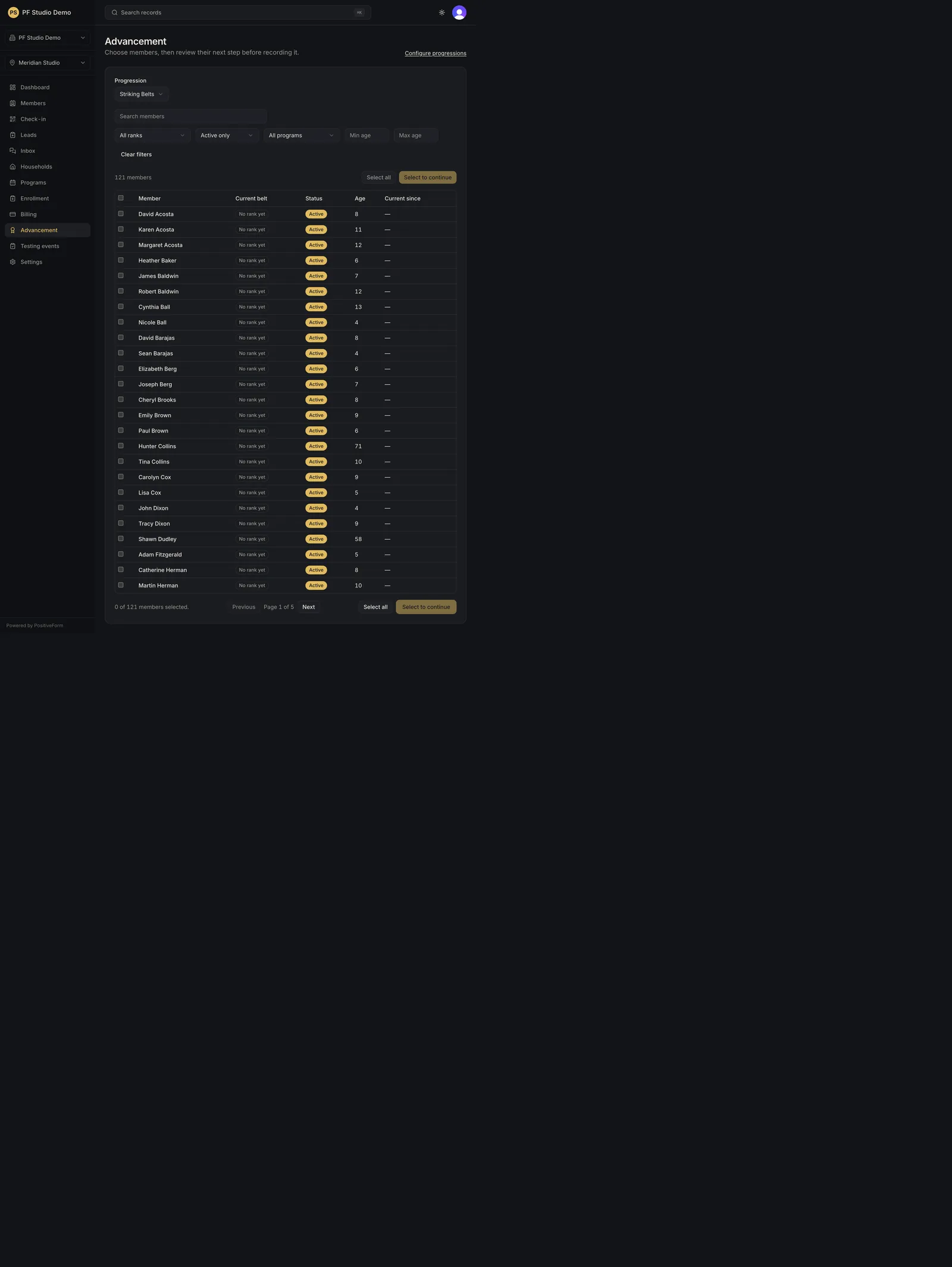
- Click Advancement in the left navigation. The page is subtitled Choose members, then review their next step before recording it.
- Confirm the progression under Progression. With more than one active progression this is a picker; with exactly one, PositiveForm names it rather than asking you to choose.
- Optionally search with Search members.
- Narrow with All ranks, Active only (or All members), All programs, and Min age / Max age when needed. Clear filters resets them all.
- Read the roster: Member, Current {rank}, Status, Age, and Current since. Someone with no rank in this progression reads No rank yet, and can still be advanced to the first rank.
- Select who you intend to advance. There are two different selections, and the difference matters: - The row checkboxes, or the header checkbox, take only what is on the page you are looking at. - Select all takes every member matching the current filters, across every page. The line under the table reads N of M members selected so you can see which one you have. Clear selection undoes it.
- Click Review next → to open the review step with your selection. It reads Select to continue while nothing is selected, and Preparing review… while it loads.
Expected outcome
You have a filtered, selected cohort ready for the advancement review screen, where ranks are confirmed before they are saved.
Screenshots
Recovery
If the board says to set up a progression in Settings › Progressions before reviewing advancements, complete Configure a progression.
If no members match, PositiveForm says No members match these filters. Clear filters and search, or confirm the progression and location.
If the selection controls are missing entirely, your role can read the board but
not record advancement. Recording needs members.change.
If Review next fails to prepare, PositiveForm says Could not prepare this advancement review. Refresh the list and try again. Nothing changed; refresh and try again rather than assuming ranks moved.
Related guides
- Configure a progression — maintain progressions.
- Record member advancement — record the promotion.