Record member advancement
Preview and confirm advancement for selected members. The confirmation records the new ranks once and member history reflects the change.
- Status
- Draft, not yet re-verified
- Who can do this
- Organization owners, Managers, Staff
- Required access
members.change- Where in PositiveForm
/advancement/review
"Copy for AI" puts the full Markdown of this page on your clipboard. Paste it into ChatGPT, Claude, or any assistant and ask it to walk you through the steps.
Who this is for
This guide is for staff, managers, and owners confirming the next ranks for members selected on Advancement.
You need the members.change permission.
Before you begin
- Start from Review advancement readiness so the review screen has a prepared
selection. Opening
/advancement/reviewwithout one shows No advancement review in progress and a Return to advancement link; it records nothing. - Confirm the progression and target ranks before saving.
- Know that a promotion can change which training groups a member belongs to. PositiveForm asks before it does that, on every promotion path.
Steps
- Open Advancement in the left navigation.
- Select the members to advance (row Select … checkboxes, or Select all when appropriate; see Review advancement readiness for the difference).
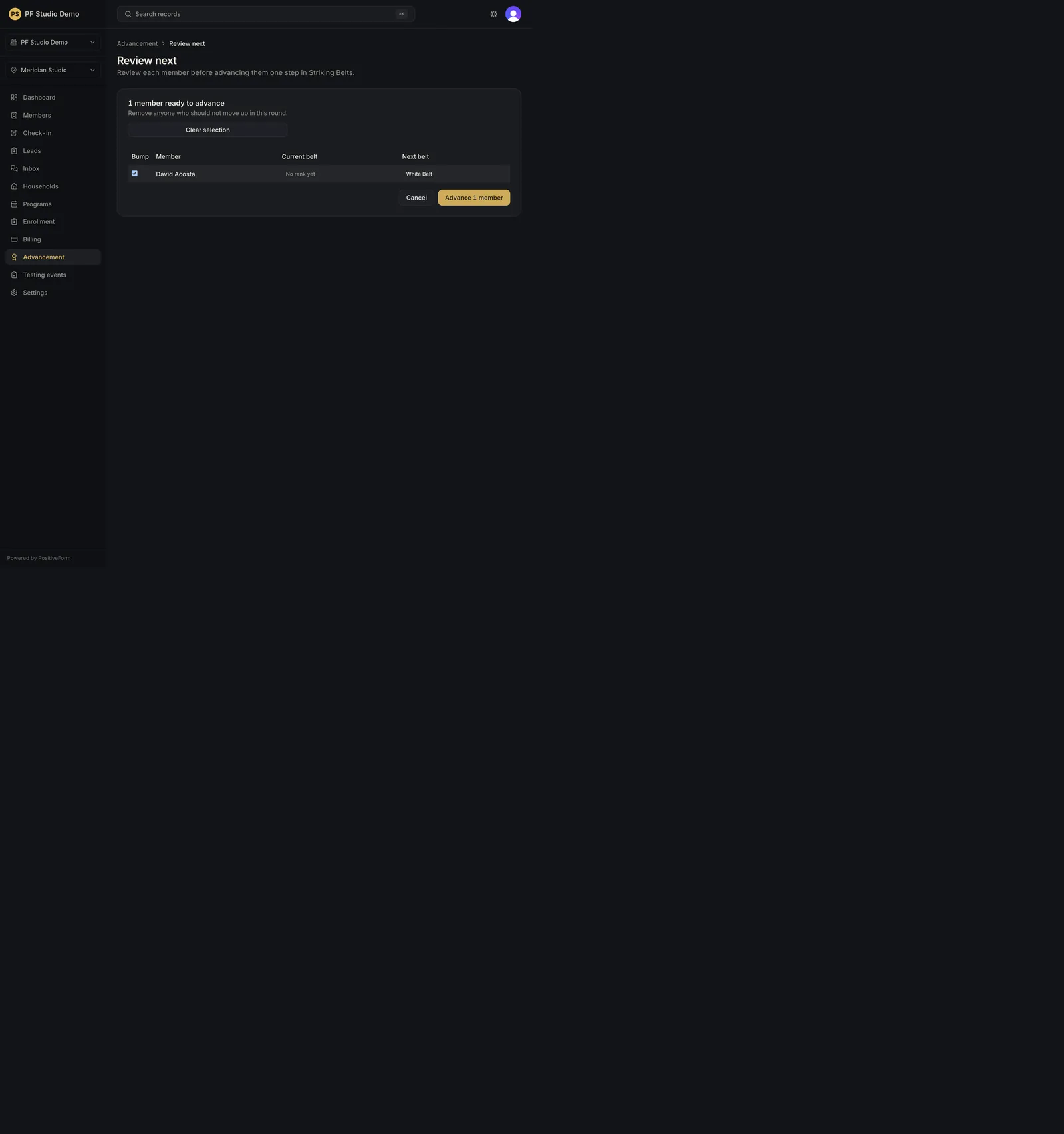
- Click Review next →. The Review next screen lists each member with Current {rank} and Next {rank}, and is headed N members ready to advance.
- Untick anyone who should not move up in this round. Anyone already at the top reads Already at the final active rank, cannot be ticked, and is counted in a line saying they will not be changed. Select all and Clear selection work on everyone who can still move up.
- Click Advance N members. Cancel returns to Advancement without changing anything.
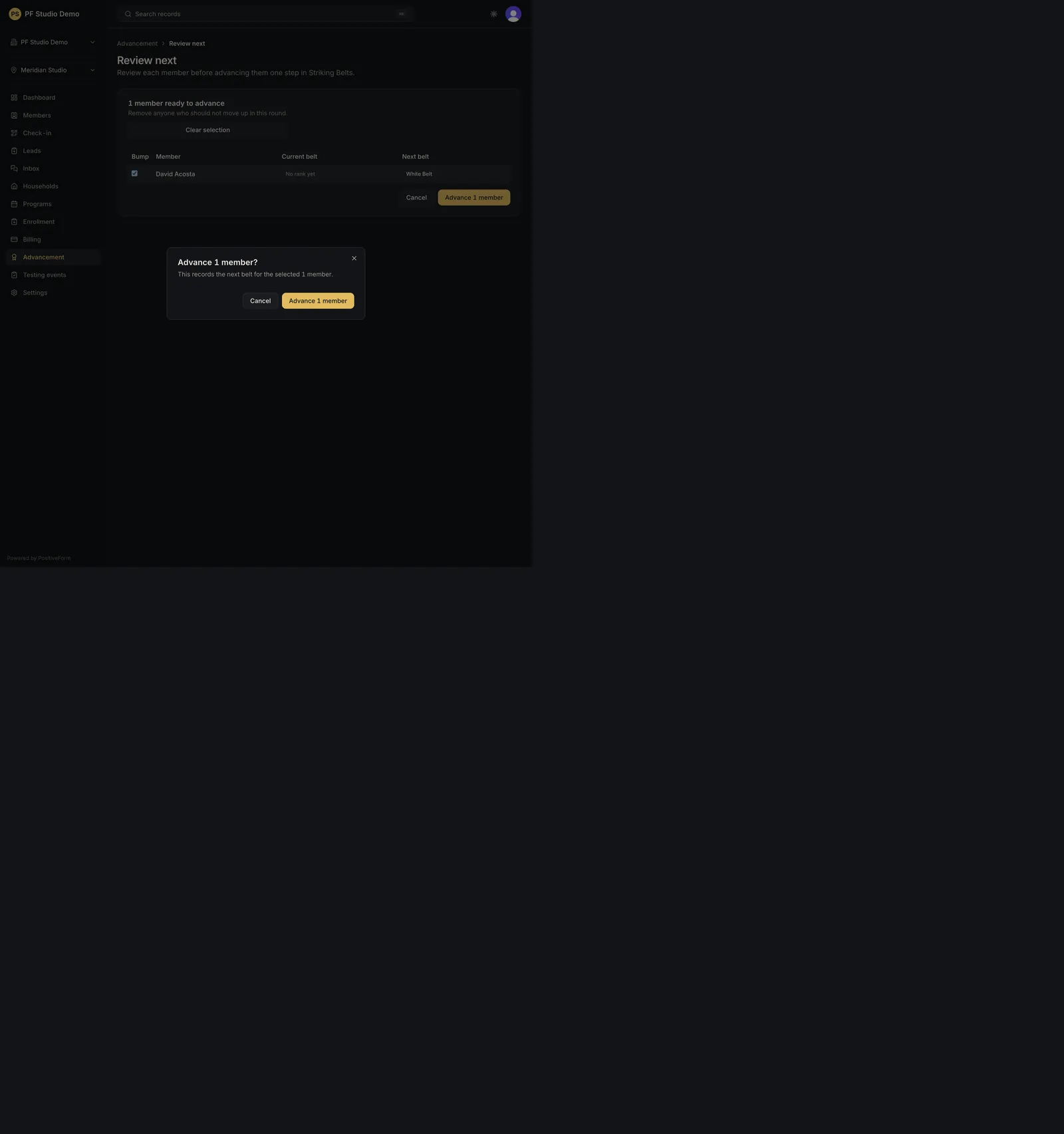
- Confirm in the Advance N members? dialog. Cancel leaves ranks unchanged.
- When a promotion would change who somebody trains with, PositiveForm stops and asks first: - With no pin involved, the dialog is Accept this training group move? and lists what each member Leaves and Enters, plus which programs they match now and would match after. Accept and continue records the rank; Cancel records nothing. - When somebody was deliberately pinned into or out of a group, the dialog asks whether to keep those pins, and offers a second button naming the pinned groups so you can record the rank and leave the pins standing. - Either choice records the new rank. Neither enrolls, withdraws, or transfers programs.
- When the save finishes you return to Advancement, and PositiveForm reports N members advanced one rank.
Expected outcome
Selected members receive the recorded ranks once; member history reflects the change.
To promote one person rather than a cohort, or to correct or backfill a past promotion, work from their member record instead. The Rank section of a member's Details tab records a single promotion, with Awarded on (or Date unknown), an optional note, and a Set as current rank checkbox you turn off when backfilling history. Moving somebody down a rank is possible there, warns you plainly, and requires typing the confirmation phrase it shows. That path asks the same training group question this one does.
Screenshots


Recovery
If review is empty, return to Advancement and prepare a selection first.
If the confirm dialog is dismissed, no ranks change; open Review next → again when ready. Cancelling the training group question also records nothing.
If you untick everybody and try to continue, PositiveForm says Keep at least one member selected to continue. and does nothing.
If the save fails, PositiveForm reports the reason it was given, or Could not record this advancement. Please try again. You stay on the review screen with your selection intact.
Related guides
- Review advancement readiness — build the review selection.
- Run and finish testing — award ranks through a testing event.