Configure agreement onboarding order
Choose which published agreements are required and their signing order. The onboarding packet order saves and is reflected in member signing status.
- Status
- Draft, not yet re-verified
- Who can do this
- Organization owners, Managers, Staff
- Required access
members.change- Where in PositiveForm
/settings/agreements
"Copy for AI" puts the full Markdown of this page on your clipboard. Paste it into ChatGPT, Claude, or any assistant and ask it to walk you through the steps.
Who this is for
This guide is for an owner, manager, or staff member with the
members.change permission, deciding what a new family signs and in what order.
Most studios ask for more than one document. Rather than sending them one at a time, you set a signing sequence once: the packet a new family works through from start to finish.
Before you begin
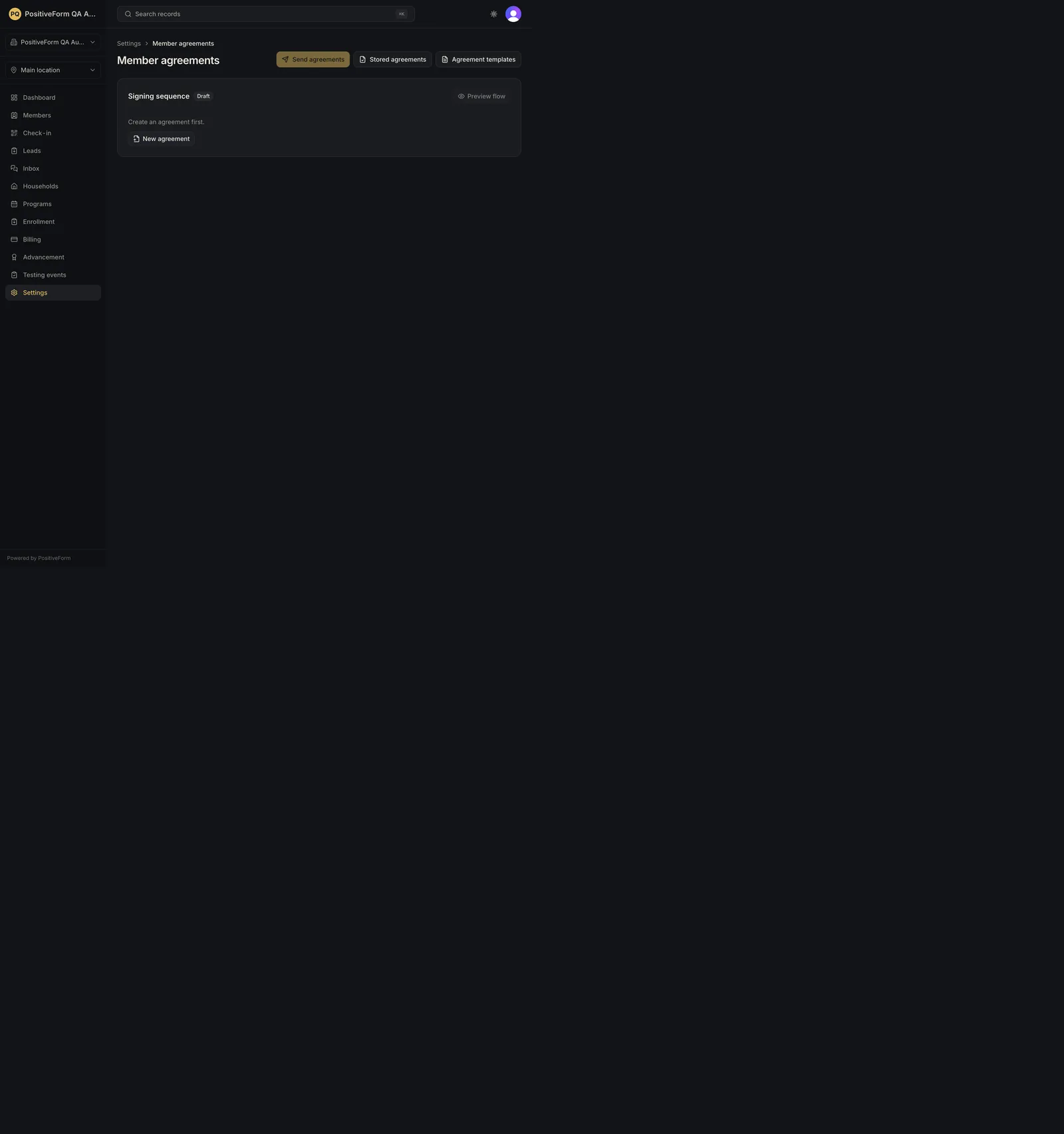
- Publish the agreements first. Any unarchived template can be added, but a draft step is carried as Draft · skipped and is not offered to a family until it is published, and a published sequence whose steps are all drafts returns to draft on its own. The page says Create an agreement first. until at least one template exists; see Manage agreement templates.
- Decide the order deliberately. It is the order families meet the documents in, so put the one that explains the others first.
Steps
- Click Settings in the left navigation, then Member agreements. The page header carries Send agreements, Stored agreements, and Agreement templates.
- Find the Signing sequence card. Until you publish it, the badge beside the heading reads Draft; it reads Unsaved while you have changes you have not saved.
- Give the packet a Sequence name.
- Under Available agreements, click Add on each agreement a new family should sign. Only unarchived templates are listed, and a draft in the sequence is marked Draft · skipped: it is carried but not offered until it is published.
- Arrange the steps with Move … earlier and Move … later, and drop one with Remove … from signing sequence. Untick Required on a step a family may skip.
- Click Preview flow to walk through it the way a family will. Do this before publishing: the order reads differently from the family's side than it does from a list.
- Click Save signing sequence, then Publish and confirm the responsibility acknowledgment. Publishing is unavailable while there are unsaved changes.
- Use Return to draft to take a published sequence out of service. Editing or unpublishing the last live agreement in a sequence returns that sequence to draft on its own.
Expected outcome
The sequence saves and, once published, becomes the packet Send agreements offers. Choosing to send the packet on a household sends these documents, in this order; see Manage member agreement completion.
While the sequence is still a Draft, Send agreements stays disabled and its tooltip reads Publish the signing sequence first. That is what stops a half-built packet reaching a family.
A member's waiver standing is a separate, derived reading: it is satisfied by any participation waiver on file (e-signature, uploaded paper, staff confirmation, or a linked walk-in signature) and is not affected by the policy or permission documents in the packet. It is never a gate on anything.
Screenshots
Recovery
If the page says Create an agreement first., there are no published agreements to sequence; see Manage agreement templates.
If Send agreements is greyed out, the sequence exists but is not published; its tooltip says Publish the signing sequence first. Publish it.
If Publish is unavailable, click Save signing sequence first. The button is disabled while changes are unsaved.
If a family is signing documents in an order that confuses them, use Preview flow to see what they see, then reorder. Changing the sequence does not invalidate signatures already collected.
If saving fails, PositiveForm shows the reason and the sequence is unchanged.
Related guides
- Manage agreement templates — publish the agreements this sequence is assembled from.
- Manage member agreement completion — send the published packet to a family.