Upload, map, validate, and review import data
Upload files, map fields, validate relationships, and review retained records safely. Validation reports unknown, duplicate, consent, and relationship issues…
- Status
- Draft, not yet re-verified
- Who can do this
- Organization owners, Managers
- Required access
imports.manage- Where in PositiveForm
/settings/imports/:jobId/validation
"Copy for AI" puts the full Markdown of this page on your clipboard. Paste it into ChatGPT, Claude, or any assistant and ask it to walk you through the steps.
Who this is for
Migration staff uploading source files into an existing import job.
Before you begin
- Create a job first (Start a studio import).
- Use only authorized studio data in sample files.
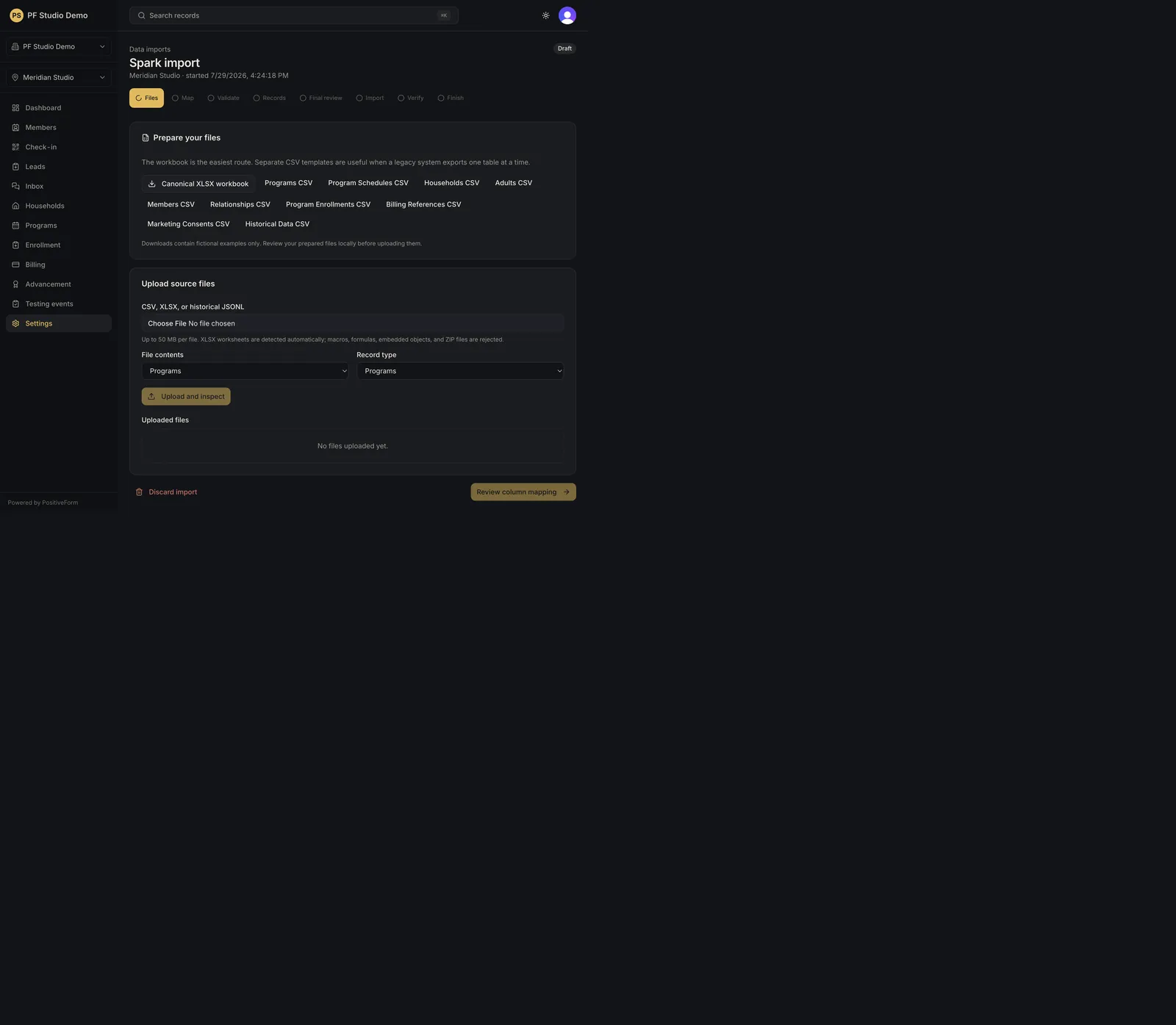
- Prepare files against the PositiveForm shapes. Prepare your files on the Files step offers the Canonical XLSX workbook and a CSV per record type. Downloads contain fictional examples only.
Steps
Upload the files
- Open the import job from Data imports with Open on its row.
- On Files, choose the file under CSV, XLSX, or historical JSONL. Up to 50 MB per file. XLSX worksheets are detected automatically; macros, formulas, embedded objects, and ZIP files are rejected.
- Set File contents and Record type. Choosing an XLSX file sets both to the complete workbook and leaves them fixed, because its worksheets are detected for you.
- Click Upload and inspect. The file appears under Uploaded files with its component, size, retention date, and status. Repeat for every file.
- Click Review column mapping to continue.
Map the columns
- On Map, each detected table lists its Source column against a PositiveForm destination. Choose the destination field for every column you recognise; required fields are marked.
- Leave anything you do not map on Retain as historical data. Its source name and value stay auditable. Choose Exclude with reason only when a column must not come across, and type a short lowercase Exclusion reason.
- Click Save mapping for each table, then Validate import.
Validate and review
- On Validate, click Run validation. It parses every mapped row, checks source identities and cross-file links, and detects consent evidence, unknown data, duplicates, and unsafe values. It creates no operational records. You can leave the page and come back; it runs in the background.
- When validation finishes, click Review records. Records shows counts for source records, blocking errors, warnings, and retained historical fields, and lists anything needing a decision first.
- Filter by Component, Record type, and Status to work through the list. Archived source detail is hidden here; choose the Historical Data record type to read it.
- For a row flagged as an error or warning, click Resolve and pick one result: Keep this record as it is, Decide later, Do not import this row, or Match an existing record (which needs the exact PositiveForm resource type and ID). Type an Audit reason code, then Save resolution.
- Leave uncommitted until Commit and reconcile an import. Final review stays disabled while any blocking error remains.
Expected outcome
Validation reports unknown, duplicate, consent, and relationship issues without creating operational records. Every flagged row carries an explicit, audited decision before commit is offered.
Screenshots
Recovery
If Upload and inspect stays disabled, choose a file first, and for a CSV choose a Record type as well.
If a file is rejected, its row under Uploaded files carries the reason.
If validation reports Validation needs attention, read the message, correct the mapping or the file, and click Retry validation.
If every control on the job is disabled, the console is read only: either the subscription lapsed, or PositiveForm could not confirm it. Reviewing still works; uploads, resolutions, commit, discard, and rollback do not.
Use Discard import only when abandoning the job (Discard or safely roll back an import).
Related guides
- Start a studio import — create the job.
- Commit and reconcile an import — commit after validation.
- Discard or safely roll back an import — discard or roll back.