Configure organization email marketing
Configure, activate, pause, resume, or disable marketing email automation. Marketing status and automation settings change only after explicit acknowledgement…
- Status
- Draft, not yet re-verified
- Who can do this
- Studio owners, Organization owners
- Required access
email.marketing.send,email.marketing.manage_consent- Where in PositiveForm
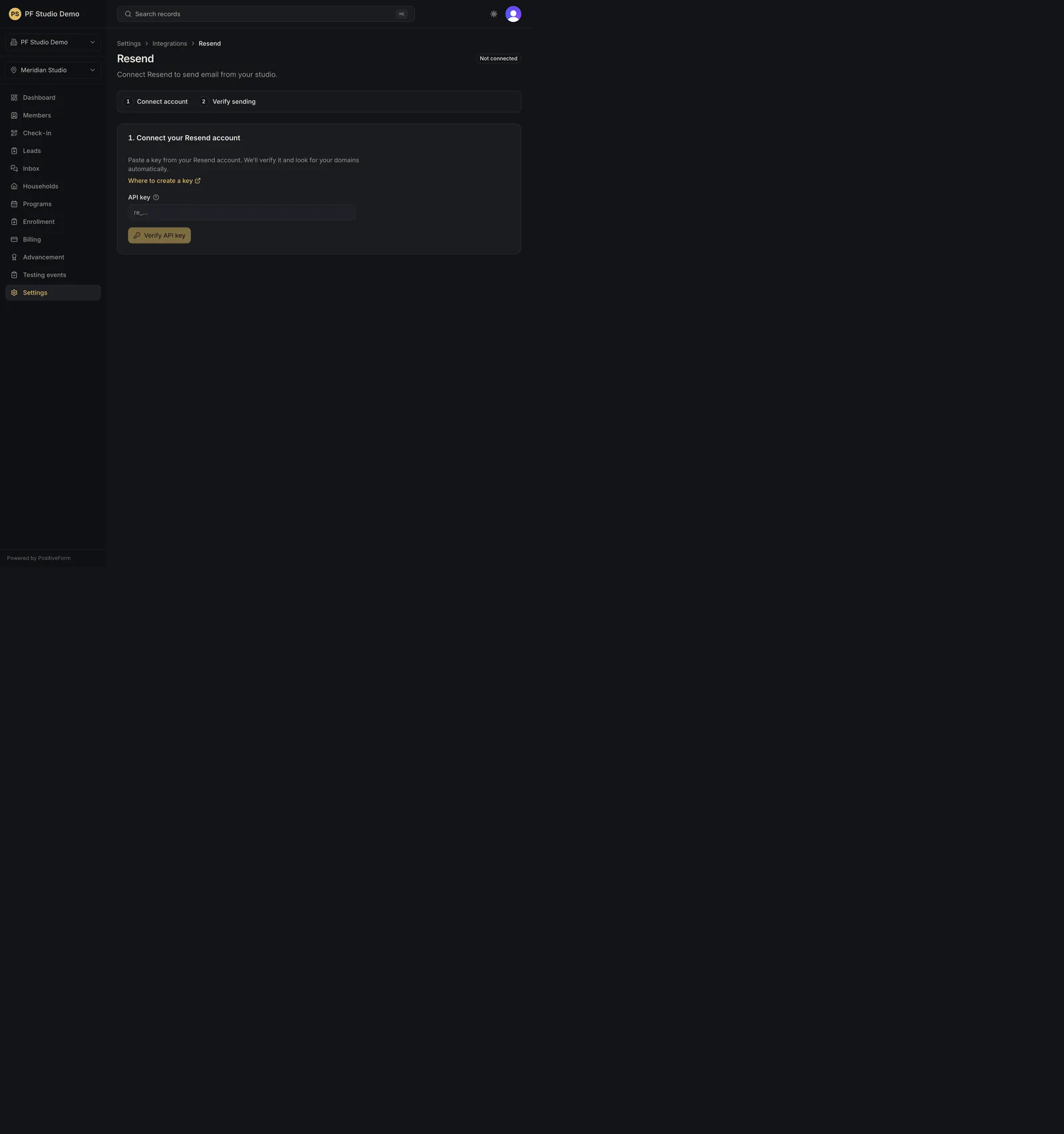
/settings/integrations/resend
"Copy for AI" puts the full Markdown of this page on your clipboard. Paste it into ChatGPT, Claude, or any assistant and ask it to walk you through the steps.
Who this is for
This guide is for organization owners choosing who receives studio marketing email and turning marketing automation on, off, or on hold.
Before you begin
- Owner access is required. Resend must already be connected and sending verified (Connect and verify Resend).
- Activating marketing needs a Full access Resend key and one verified signed webhook event. Both are set up on the same page.
- Audience inclusion and email marketing permission are separate. Choosing a source decides which family contacts belong in PositiveForm-owned Resend Segments; it never grants anyone permission to be marketed to.
- Never put a Resend key in a support material.
Steps
- Open Settings › Integrations › Resend (
/settings/integrations/resend). The heading is Resend. - Choose the audience in the Member contacts card: - Include new people decides whether every newly created member or lead with an email is included automatically. It saves as soon as you change it. - Under Programs, tick All active programs for a dynamic selection, or tick individual programs. Under Training Groups, tick the groups that contribute members. - Click Save audience. Until you save, the page warns that the preview is stale and will not let you sync.
- Read Audience preview: selected members, unique family Contacts, without a usable family email, and opted out, kept out of the sync, with the Sources line beneath. The preview reads PositiveForm only and writes nothing to Resend. Review members opens the matching member list; Edit audience jumps back to the source pickers.
- Click Sync selected audience and confirm the prompt to reconcile PositiveForm-owned Segments in Resend. Watch the run state (Queued, Running, Completed, Needs attention) and the Sync log. Resume or retry picks up remaining and failed contacts without resending the ones that succeeded. Show addresses in the log reveals full addresses instead of masked ones.
- Open Optional next steps › Marketing email. The badge reads Active, Paused, or Not activated.
- To activate, set Daily recipients, Per campaign, Daily automations, and Complaint pause, choose a Setup mode (Self service or White glove with PositiveForm), read and tick the acknowledgement that your organization owns the Resend account, billing, domain, recipients, and sending reputation, then click Activate marketing.
- Once active, the limits are shown as a summary. Use Pause marketing, Resume marketing, or Disable marketing. Disabling asks for confirmation first.
- Under Lifecycle automations, paste each Resend automation ID, tick Enable, and click Save for the events you want automated.
Expected outcome
The saved audience decides which family contacts PositiveForm keeps in its own Resend Segments, and the preview shows exactly who that is before anything is sent to Resend. Marketing status and automation settings change only after explicit acknowledgement and validation. No secret is stored in committed evidence.
Screenshots
Recovery
If Activate marketing stays disabled, the page names what is missing: the acknowledgement, a Full access key, or a verified signed webhook event. If Sync selected audience is disabled, either the saved sources differ from what is on screen (save them first), a sync is already running, the key is not full access, or background synchronization is not configured for this environment; each case is stated on the card. Failed contacts stay listed in the Sync log; use Resume or retry rather than starting a fresh sync. Saving an empty audience removes PositiveForm-owned Segment memberships without deleting Resend Contacts, and does not change anyone's marketing permission.
Related guides
- INT-002
- COMMS-001