Connect and operate Stripe
Connect Stripe, inspect account status, and manage customer-visible webhook setup. Connection status, charges readiness, product sync, and webhook health are…
- Status
- Draft, not yet re-verified
- Who can do this
- Studio owners, Organization owners
- Required access
integrations.manage- Where in PositiveForm
/settings/integrations/stripe
"Copy for AI" puts the full Markdown of this page on your clipboard. Paste it into ChatGPT, Claude, or any assistant and ask it to walk you through the steps.
Who this is for
This guide is for organization owners connecting Stripe and inspecting customer-visible billing readiness.
Before you begin
- You need owner access.
- Never paste provider secrets anywhere outside PositiveForm.
Steps
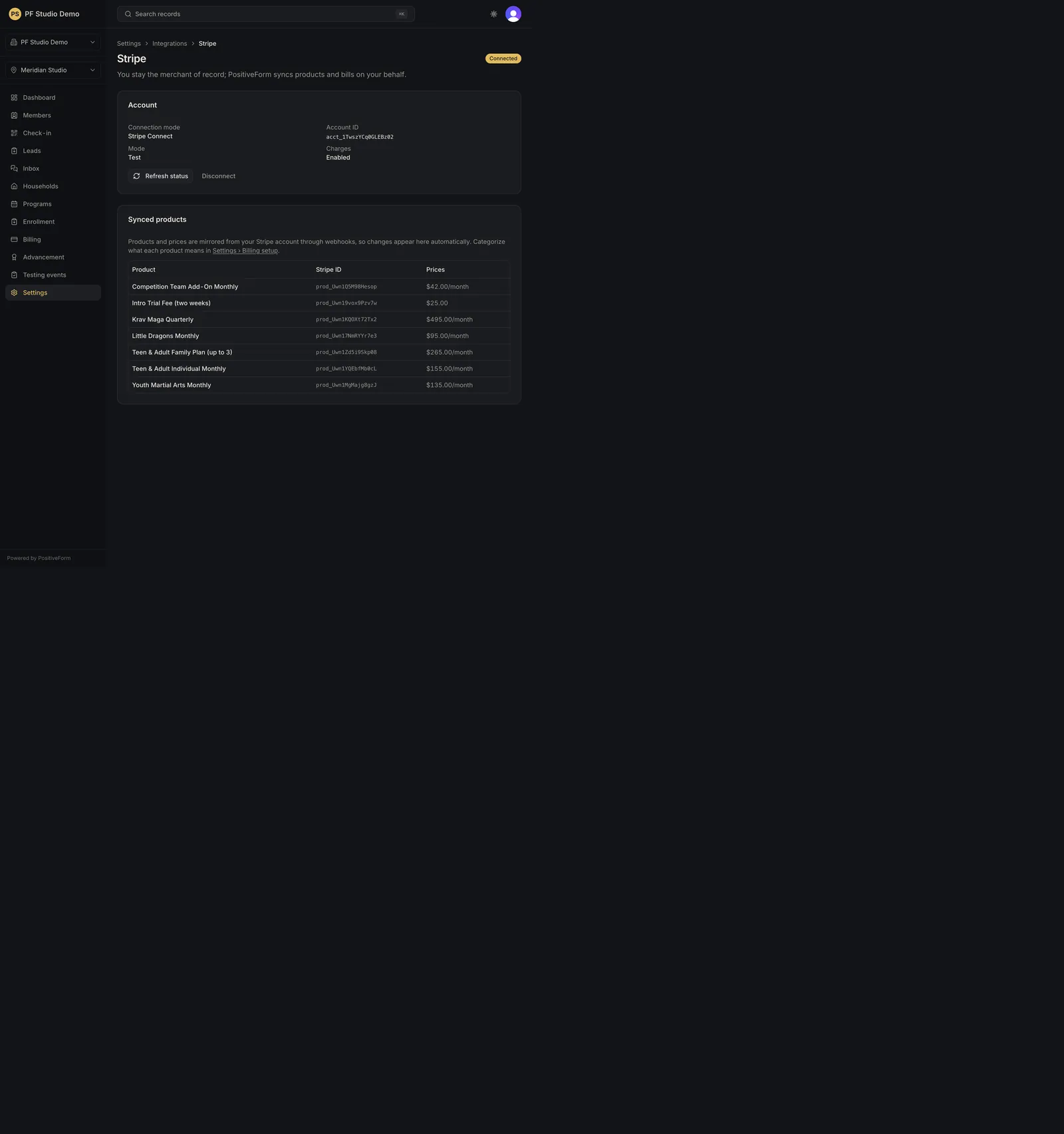
- Open Settings › Integrations › Stripe (
/settings/integrations/stripe). The heading is Stripe, with a status badge beside it. - If nothing is connected, use Connect with Stripe. You are sent to Stripe to finish a Standard account; the account and the Stripe relationship stay with your organization.
- Read the Account card once connected: Connection mode, Account ID, Account name, Mode (Live or Test), Charges (Enabled or Pending verification), and Platform access.
- Use Refresh status after making changes in Stripe. The toast distinguishes a refreshed status from one Stripe would not confirm.
- Use Start connection walk under Connect live subscriptions to walk each family Stripe is already charging and confirm the household and who the price covers. This creates no subscription and charges no card.
- Use Review customer mapping under Customer mapping to see which Stripe customer each billing profile claims, and to find people who pay you but are not connected to a profile.
- When the connection mode is API key, a Webhooks card appears with the endpoint URL to add in Stripe, the events to select, and a field for the signing secret. A Stripe Connect connection does not need this.
- Review the Synced products table (Product, Stripe ID, Prices). Products and prices mirror from Stripe automatically. Categorize what each product means in Settings › Billing setup (Configure billing policies and catalog).
- Disconnect only when deliberately removing the connection.
Expected outcome
Connection status, charges readiness, product sync, and webhook health are visible without exposing secret keys in the PositiveForm console.
Screenshots
Recovery
If status looks stale, Refresh status. If Platform access reads Refused, PositiveForm cannot act on the account: reconnect with Stripe Connect, or ask an operator to restore the Connect grant. If the page reports that it could not reach connection status, retry rather than connecting a second account. If disconnect was accidental, reconnect through the same page and re-check product sync.
Related guides
- BILL-008
- BILL-004