Review parents and guardians
Find household adults who are not direct members. The directory shows permitted identity context and links to the correct household.
- Status
- Draft, not yet re-verified
- Who can do this
- Organization owners, Managers, Staff
- Required access
organization.membership- Where in PositiveForm
/people/adults
"Copy for AI" puts the full Markdown of this page on your clipboard. Paste it into ChatGPT, Claude, or any assistant and ask it to walk you through the steps.
Who this is for
This guide is for any staff member: owners, managers, and front-desk staff who need to find the adult attached to a household, usually to answer a question or to reach a parent.
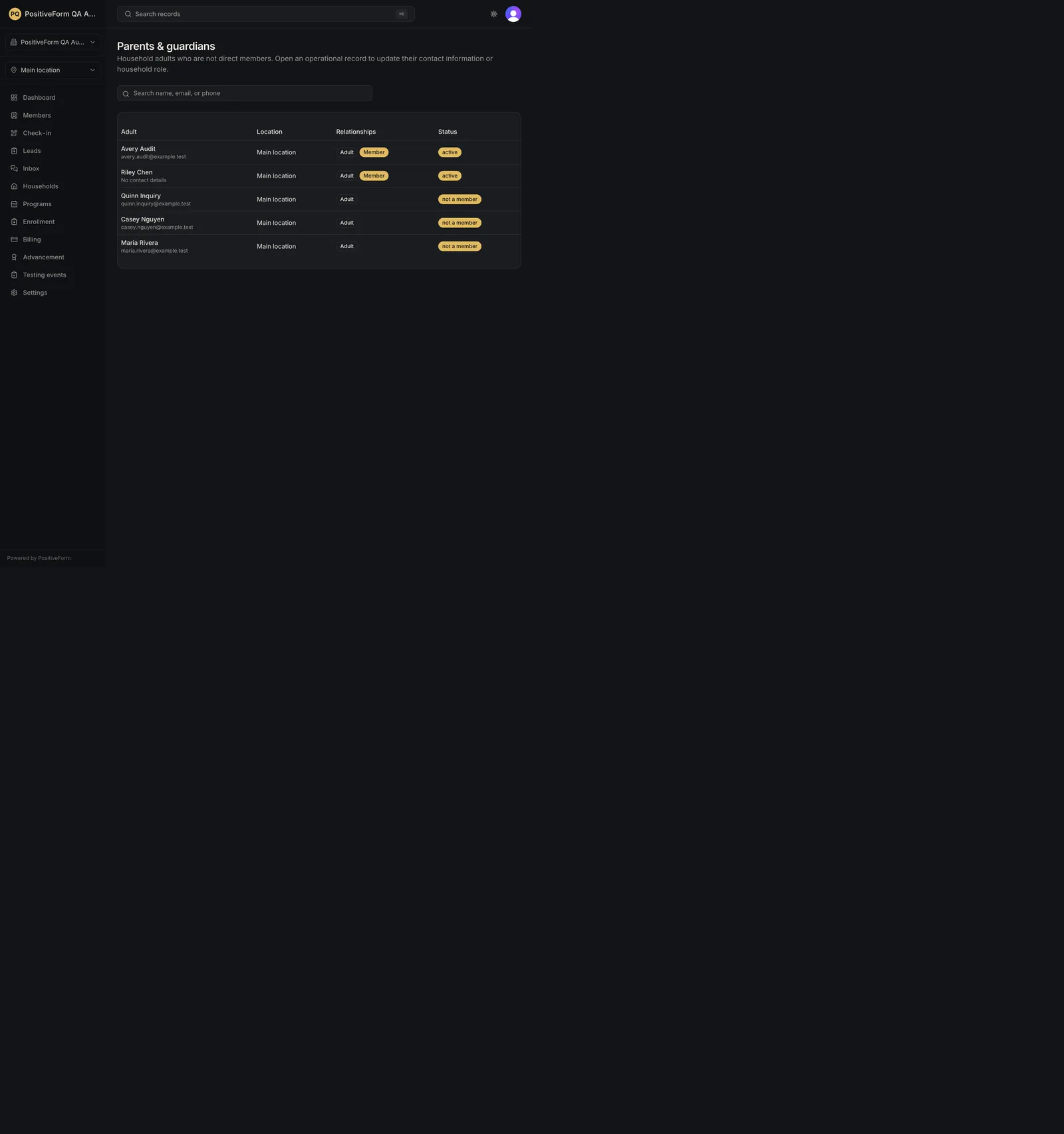
These are household adults who are not direct members themselves. Someone who trains with you appears as a member, not here, and an adult who both trains and is a parent appears in both places with the relationship shown.
You need membership in the organization. What contact details you can see depends on your access.
Before you begin
- Know what you are looking for: a name, an email, or a phone number. All three are searchable.
- Know that this is a directory, not a place to edit. Changes belong on the person's own profile, or on their household.
Steps
- Click Settings in the left navigation, then under People open
Parents & guardians. The page itself is at
/people/adults, so it can be bookmarked directly. - Read the columns: Adult, Location, Relationships, and Status. - Adult shows the person's name with their email, or their phone number when there is no email, underneath, or No contact details when neither is on file. - Relationships shows one chip per connection. A parent who does not train shows Adult alone; someone who is both a household adult and a member shows Adult and Member side by side. - Status shows active for a current member, or not a member for a parent or guardian who only appears through their household.
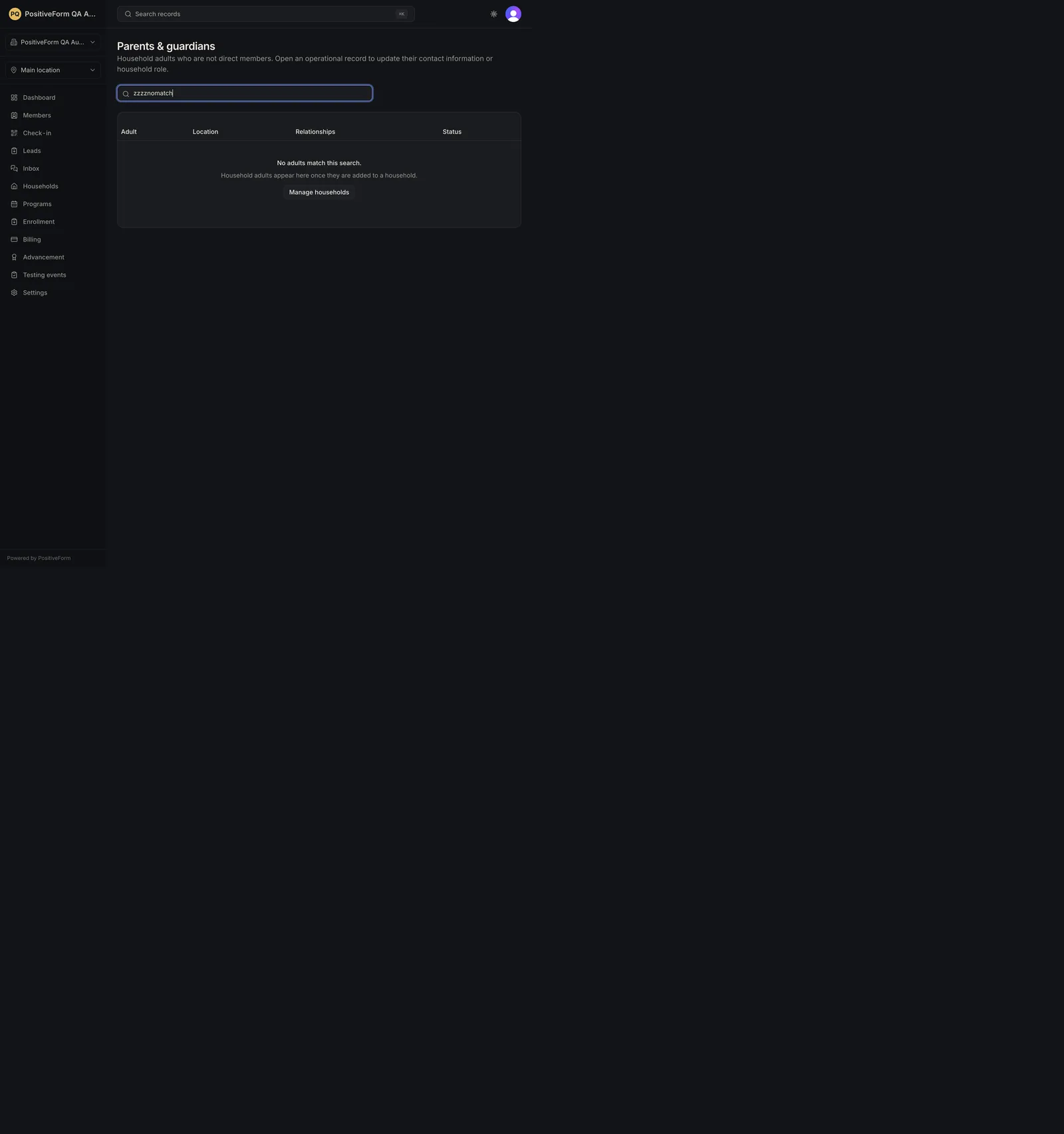
- Type into Search name, email, or phone to narrow the list. Your search stays in the page address, so you can return to it or share it.
- Move through long lists with Previous and Next; Page 1 of 2 between them shows where you are, above the total, such as 32 parents and guardians.
- Click a person to open their member profile, where their contact information and household are changed.
Expected outcome
The directory lists the household adults you are permitted to see, with the identity context your access allows, and each row opens that person's own member profile.
Contact details shown here are the ones on file. No contact details is a genuine blank rather than something hidden from you. If your role does not carry the contact-information permission, addresses and numbers arrive masked instead, as j••••@e••••.com and ••• ••• 4477, so you can tell a withheld detail from a missing one.
Nothing on this page changes a record. It is a way to find the right person and get to the place where their details are maintained.
Screenshots
Recovery
If a search returns No adults match this search., widen it. The search covers name, email, and phone, so a partial name is often better than a full one, and a misremembered email finds nothing.
If the page reads No household adults yet., no adult has been added to any household at this location. Manage households on that empty state takes you to where you add one; see Create and find a household.
If the list fails to load, PositiveForm says Could not load household adults right now. with Try again, rather than reading as an empty studio.
If someone you expect is missing, check that you are working in the right location using the location picker at the top, and that they are actually a household adult rather than a member in their own right; members are in Browse and filter people.
If contact details read as j••••@e••••.com or ••• ••• 4477 for everyone, your role does not carry the contact-information permission. Ask an organization owner.
Related guides
- Create and find a household: create the household an adult belongs to.
- Browse and filter people: find someone who trains with you rather than a household contact.