Record bulk attendance
Pick a date and a program (or Everyone) and record attendance for the people who were there. New attendance records appear for the selected people, people…
- Status
- Draft, not yet re-verified
- Who can do this
- Organization owners, Managers, Staff
- Required access
members.change- Where in PositiveForm
/attendance/bulk
"Copy for AI" puts the full Markdown of this page on your clipboard. Paste it into ChatGPT, Claude, or any assistant and ask it to walk you through the steps.
Who this is for
This guide is for desk staff, managers, and owners marking attendance for a whole class (or everyone at the location) on a chosen date.
You need the members.change permission.
Before you begin
- Select the location.
- Know the attendance date. Defaults to today; use previous/next day controls when you are catching up.
- Prefer this path after class ends; use Run front-desk check-in for one-by-one arrivals.
Steps
- Open Check-in, then click Bulk attendance, or go directly to
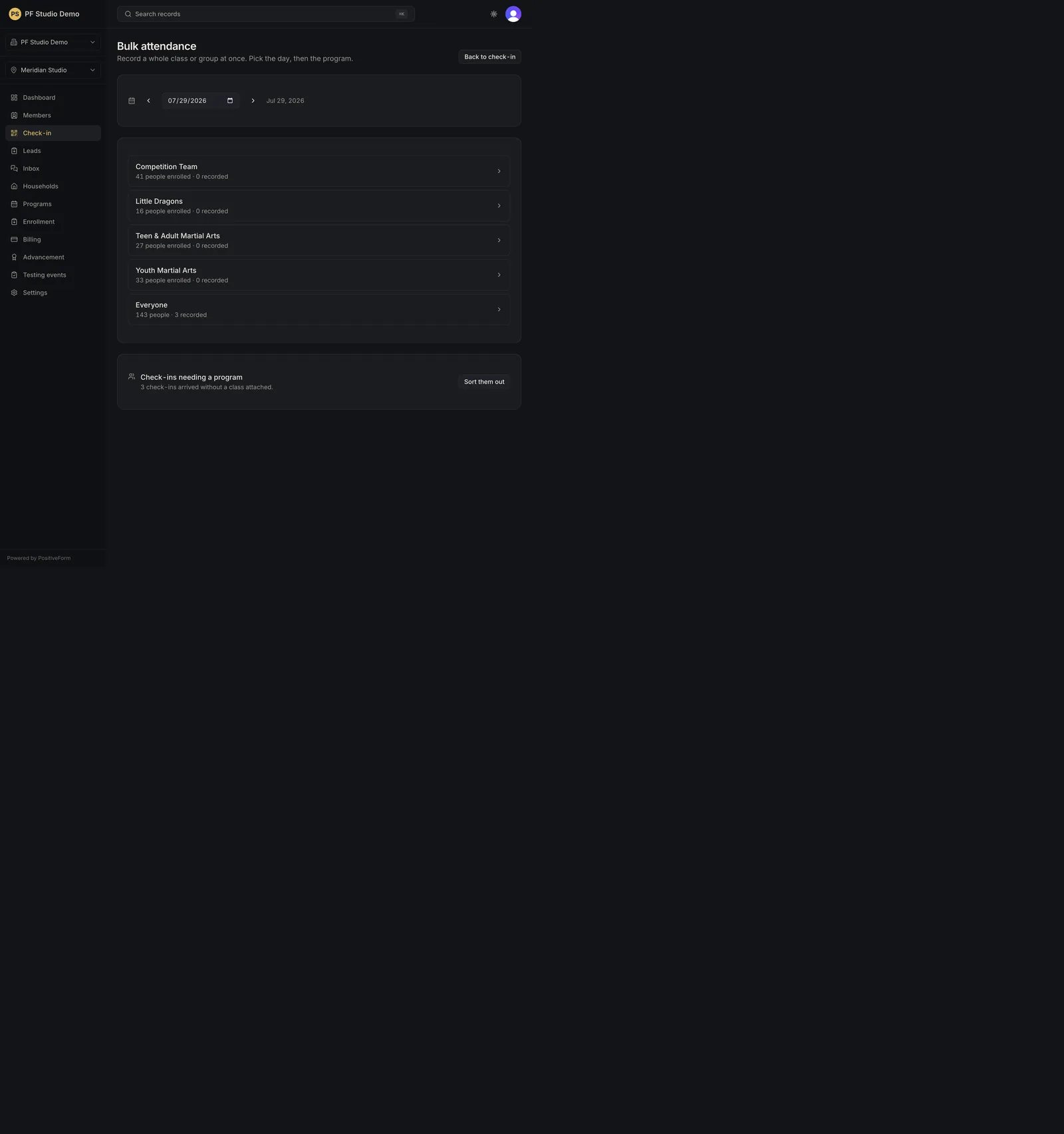
/attendance/bulk. The page reads Record a whole class or group at once. Pick the day, then the program. - Confirm the Attendance date with the date field or Previous day / Next day. On any other day a Today button appears to jump back. The date rides in the page address, so the day you are working on can be handed to a colleague.
- Choose who to record: - A program row such as Youth Martial Arts, whose detail line reads N people enrolled · M recorded, or - Everyone for the full location roster. It is disabled when the location has no members yet.
- Open the program (or Everyone). The detail view lists the people behind that one choice for that one date.
- Narrow the list with Search this list and the Not recorded / Recorded / Everyone here filter. Not recorded is the default.
- Tick the people who trained. Anyone already recorded that day is shown with a Recorded badge (naming the class when there is one) and cannot be ticked again. Select all N takes every selectable person currently visible; Clear selection drops them.
- Click Record attendance in the bar at the bottom. It reads N selected until you do, and Recording… while it saves. PositiveForm reports how many records were added, and how many were already there for that date.
- Back on the bulk list, check Check-ins needing a program. It counts the check-ins that arrived that day without a class attached. Sort them out opens that list, where you tick people, choose a program in Attach to program, and click Attach N selected. Leave as is on a row keeps that visit as a plain visit with no class.
- Return with All programs from a detail view, or Back to check-in from the bulk list.
Expected outcome
Attendance rows exist for the people you marked on that date, counted under the program (or Everyone) on the bulk list, and visible later in Check-in history.
Changing the attendance date clears whatever you had selected, so a selection never lands on a day you did not mean.
Screenshots
Recovery
If no programs appear, PositiveForm says No active programs yet and points you at Everyone. Add a program first when you want attendance counted class by class.
If a program shows No one enrolled yet, enroll members before bulk marking, or use front-desk check-in for visitors.
If the person list is empty, PositiveForm says No one matches this search or filter. Clear the search, or switch the filter to Everyone here: the default Not recorded filter hides everyone you have already marked.
If Record attendance stays disabled, nothing is selected, the list has not loaded, or a save is still in flight. A failed save keeps your selection so you can retry without reticking.
If you marked the wrong day, change the attendance date and correct that day’s list rather than inventing a second visit without checking history.
Related guides
- Run front-desk check-in — single check-in at the desk.
- Review attendance history — review what was recorded.