Review attendance history
Filter and page through check-in history. The history view shows the requested date, program, location, and page without truncating reachable records.
- Status
- Draft, not yet re-verified
- Who can do this
- Organization owners, Managers, Staff
- Required access
organization.membership- Where in PositiveForm
/attendance
"Copy for AI" puts the full Markdown of this page on your clipboard. Paste it into ChatGPT, Claude, or any assistant and ask it to walk you through the steps.
Who this is for
This guide is for desk staff, managers, and owners reviewing who checked in earlier today or on past days at the selected location.
You need organization.membership access so you can open the Check-in page.
Recording new check-ins still needs members.change; see
Run front-desk check-in.
Before you begin
- Select the location at the top of the console. History is scoped to that location.
- Use Today’s check-ins for the current day, and Check-in history for earlier visits with date and filter controls.
Steps
- Click Check-in in the left navigation.
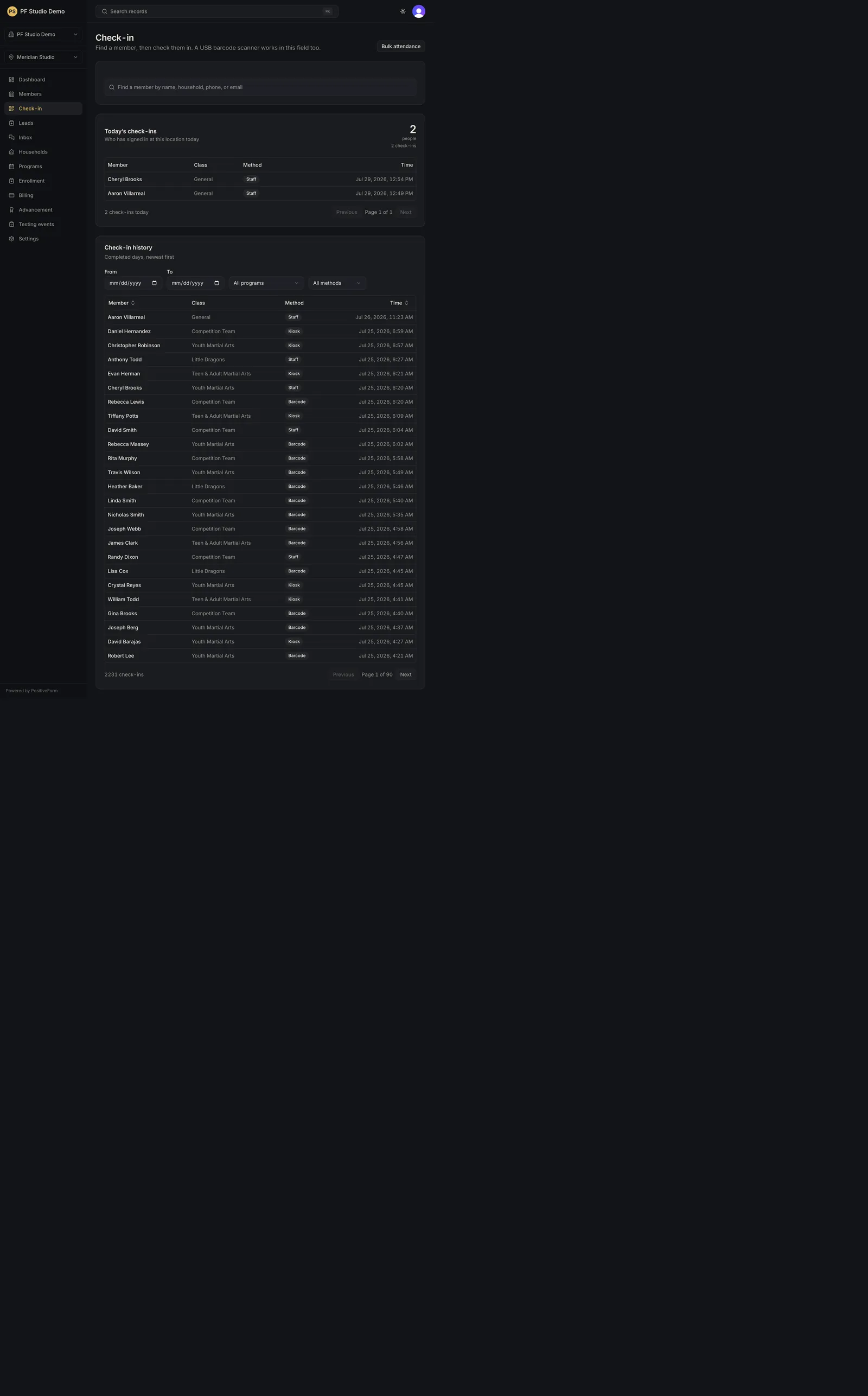
- Review Today’s check-ins for the current day. Columns are Member, Class, Method, and Time, and the card header shows how many people and how many check-ins that is. Empty days say No one has checked in today yet. Long days page independently of the history below.
- Scroll to Check-in history, subtitled Completed days, newest first.
- Set a date range with the From and To date fields, using the calendar buttons when you prefer a picker.
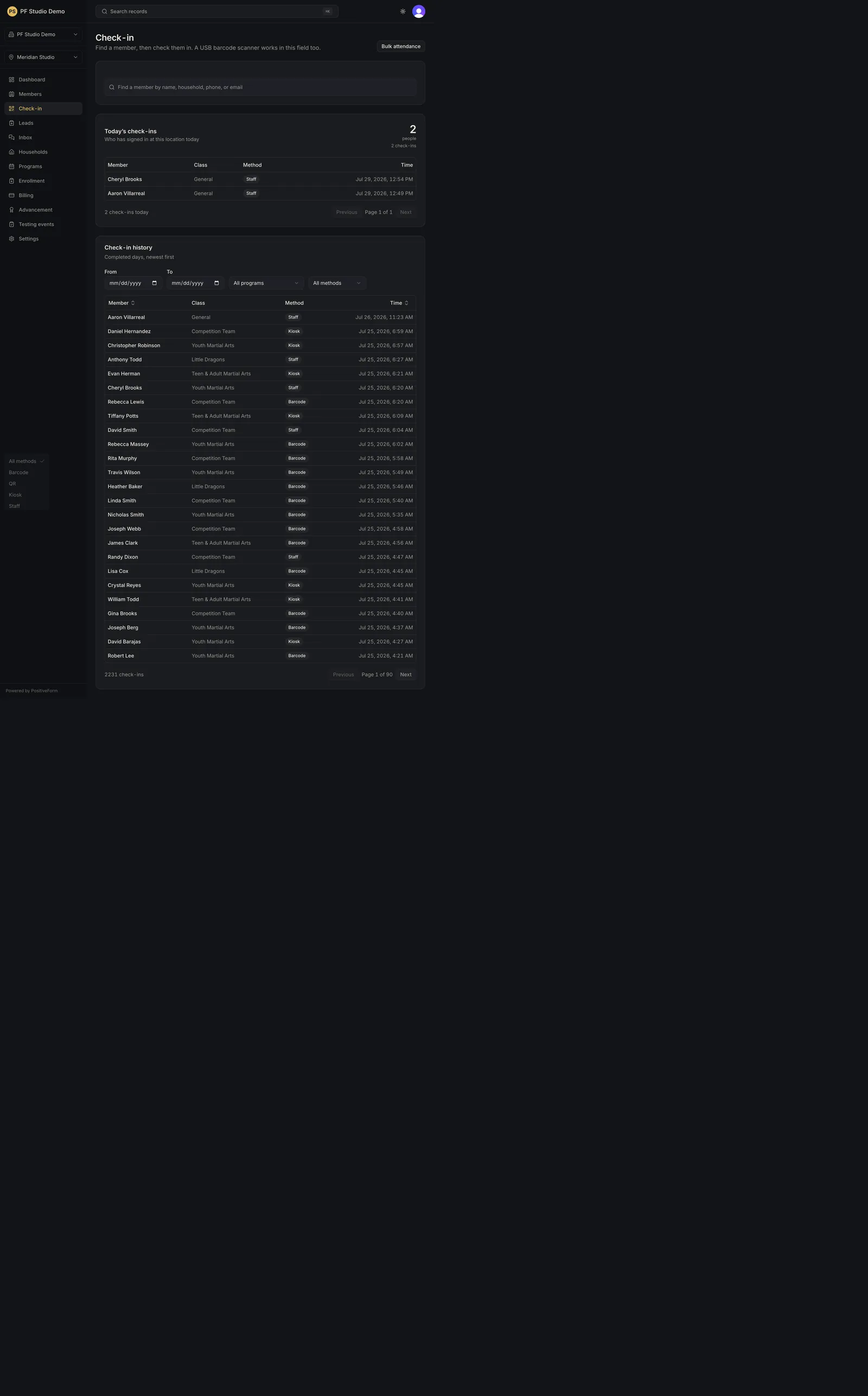
- Narrow results with Program filter (defaults to All programs) and Method filter (defaults to All methods), whose choices are Barcode, QR, Kiosk, and Staff.
- Sort the history table with the Member or Time column headers when you need a different order.
- Page with Previous and Next when the list is long.
- Open a member name to jump to their member workspace for deeper context. A row flagged Trial is a lead's trial visit, not member attendance, and its name opens the lead record instead.
Expected outcome
You can answer who trained, which class or general check-in they used, how they checked in, and when. Filters, dates, sort, and page live in the page address, so the view you are working from can be shared or reopened exactly as it was.
Screenshots
Recovery
If history is empty after filtering, PositiveForm says No historical check-ins match these filters. Clear Program filter and Method filter, widen the dates, and confirm the location picker. With no filters set at all it says No earlier check-ins yet. instead, which is a claim about the studio rather than about your filters.
If you set From later than To, PositiveForm does not show an empty table. It says the filter cannot match anything, that the dates are the wrong way round, and offers Swap the dates.
If the tables fail to load, PositiveForm shows an error with a retry path on the page. Stay on Check-in rather than refreshing mid-filter unless the retry does not recover.
If you expected a visit that is missing, confirm it was recorded at this location and that the method filter is not hiding it. Setting any method filter also hides trial visits, which carry no check-in method.
Related guides
- Run front-desk check-in — record a new desk check-in.
- Record bulk attendance — mark a whole class at once.