Review a lead record
Open a lead record and review its lifecycle, activity, and safe contact context. The canonical lead route shows permitted details and links to the next action.
- Status
- Draft, not yet re-verified
- Who can do this
- Organization owners, Managers, Staff
- Required access
organization.membership- Where in PositiveForm
/leads/:leadId
"Copy for AI" puts the full Markdown of this page on your clipboard. Paste it into ChatGPT, Claude, or any assistant and ask it to walk you through the steps.
Who this is for
This guide is for staff opening one lead to review where it stands, book or resolve its trial visits, and take the next action.
Before you begin
- Have a lead to open: a row on the Leads board, a row in All leads, or
a link of the form
/leads/:leadId. - Emailing the lead needs both contact-information access and direct-email permission. Without them the Send email button does not appear.
Steps
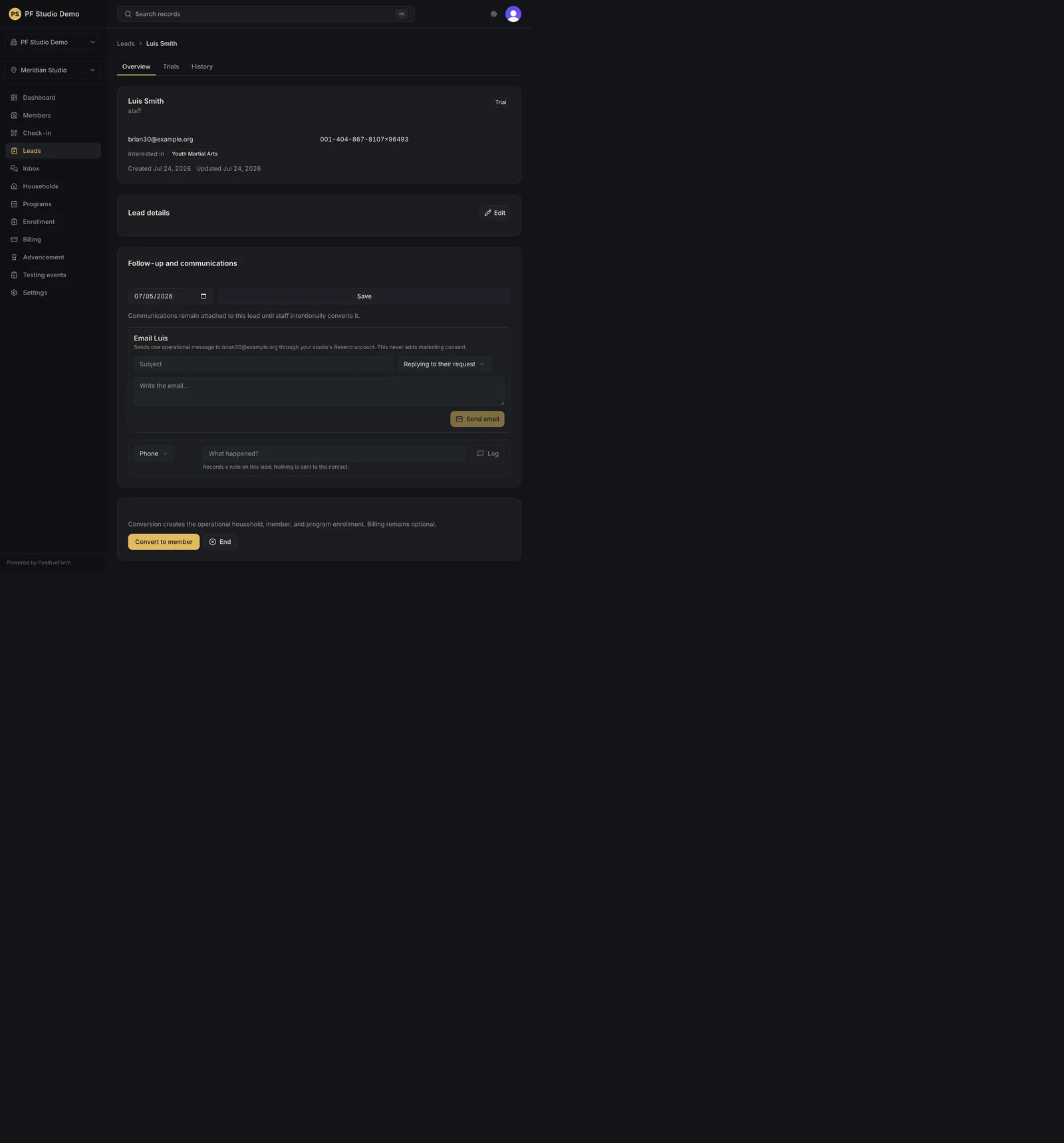
- Open the lead. The tabs across the record are Overview, Trials, and
Activity; each is addressable (
/leads/:leadId/overview,/trials,/history). - Read the decision strip at the top. It carries the phase (Exploring, Trial active, Decision needed, Converted, or Closed), a line naming what needs attention, and the actions for that phase: Convert to member, a scheduling action such as Schedule trial, Rebook trial, or Schedule next visit, Needs more time with a follow-up date, and Not proceeding.
- On Overview, use Edit on the identity card to change name, contact, Resend contact handling, Source, Interested programs, the inquiry message, and internal staff notes, then Save details. Saving records the change on the lead's activity.
- Review Training participants. Qualification, recommended program, trial progress, and outcome stay with the person training. When more than one participant is active, each row carries its own Schedule, Convert, and Not proceeding.
- In Contact, set Follow up on and click Save follow-up to place the lead in the due or overdue section of the board. Leave the date empty and save to clear it.
- To email, click Send email, fill Email subject, choose the Reason for email (Replying to their request or Continuing a conversation), write the Email message, and click Preview email. The preview names the exact From, To, CC, Reply-To, subject, and the Layout (the Resend template and version) that will be used, and shows the rendered HTML plus a Plain-text version. Optionally click Send test to me; when the render is right, click Send email.
- To record a call or visit, click Log contact, choose the Contact channel, type what happened into Contact result, and click Log contact again to save it. Nothing is sent to the contact.
- On Trials, review Trial visits. Upcoming visits list first, then past ones, each with the participant, the class audience, the time in the studio's timezone, and the schedule label. Record Check in, No-show, or Cancel visit (cancelling asks for a reason and cannot be undone), and set the outcome to Continue follow-up or Not proceeding.
- To book, use the scheduling button on the Trials tab. Choose who the visit is for, a trial offer or One-time visit (no package), then a Program. Class times are grouped by training group, with the group that matches the participant's age first and whole-program times last; pick a time chip, check the confirmation line, and click Book this class. Use Off schedule: exact date and time for a visit outside the timetable, or No program for a tour or private intro with an optional duration and staff member.
- Open Activity for the merged history: logged contact, sent email, and system events with who or what performed them and what changed.
Expected outcome
The lead record shows the permitted details, the visits booked against it, and the one action the phase calls for, without jumping through unrelated pages.
Screenshots
Recovery
If the lead cannot be found, the page says so and offers Try again for a failure that is worth retrying; confirm the id and the sidebar location. An empty Trials or Activity tab is normal for a brand-new inquiry. If an email will not preview or send, the toast names the reason and the draft text stays in the composer. A cancelled visit stays in the history as cancelled; book a new visit rather than trying to reverse it.
Related guides
- CRM-002
- CRM-004