Create a household billing profile
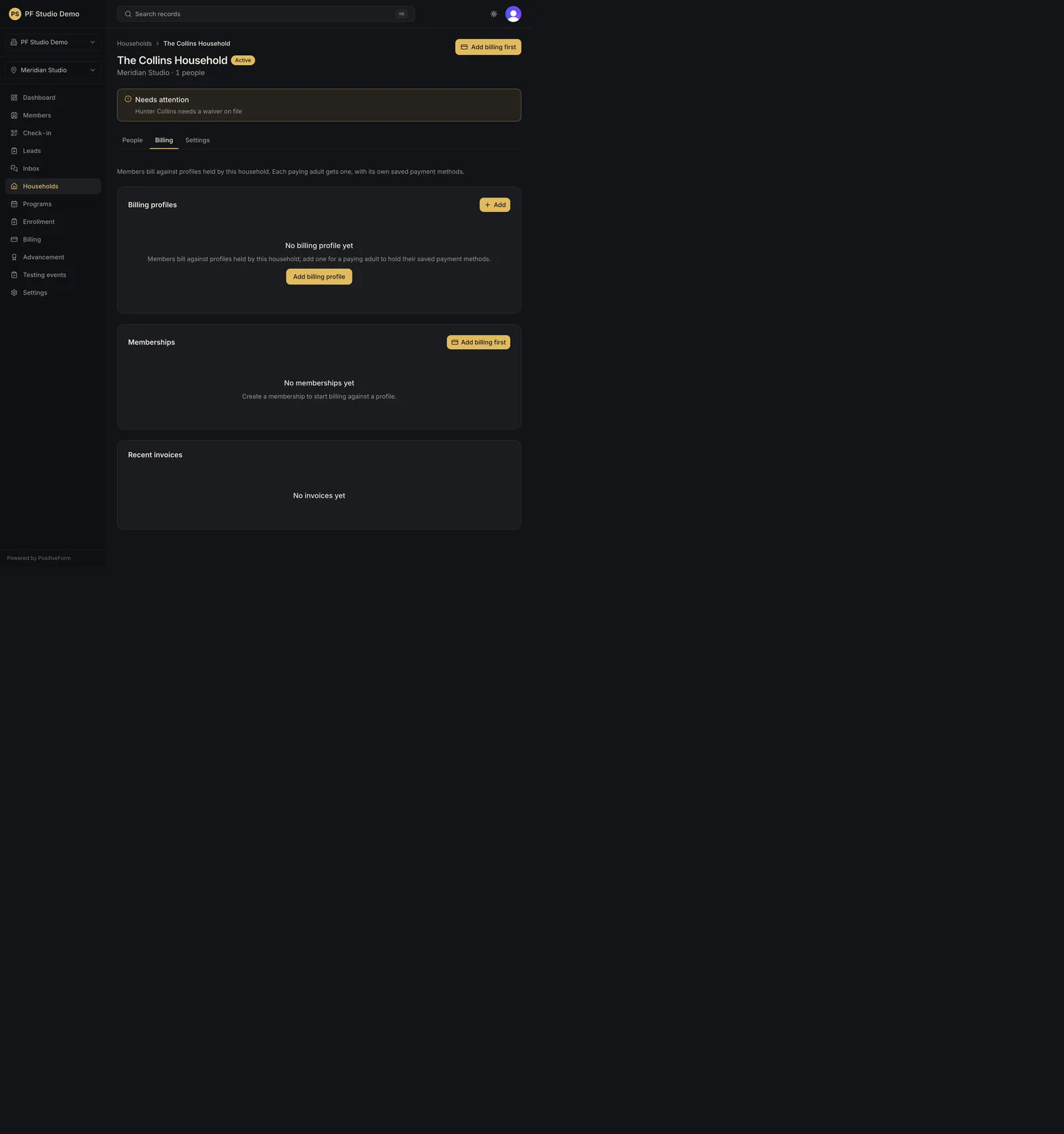
Create a billing profile for an eligible household adult. A default billing profile is created for the selected adult without creating a payment instrument.
- Status
- Draft, not yet re-verified
- Who can do this
- Organization owners, Managers, Staff
- Required access
billing.manage- Where in PositiveForm
/households/:householdId/billing
"Copy for AI" puts the full Markdown of this page on your clipboard. Paste it into ChatGPT, Claude, or any assistant and ask it to walk you through the steps.
Who this is for
This guide is for staff, managers, and owners attaching billing to a household so subscriptions and charges have a place to land.
You need billing management access for the selected location.
Before you begin
- Open the household that will pay.
- The household needs at least one adult, and that adult needs an email address. An adult with no email cannot own a billing profile.
Steps
- Open Households in the left navigation and select the family.
- Open the household's Billing tab.
- Find the Who pays card at the top of the tab.
- Start the profile: - If no adult has a profile yet, use Add billing profile in the empty state. - If some adults already have one, use Add in the Who pays header, or Add billing profile on the dashed card for the adult you want. - If the household has no adult yet, the button reads Add adult. Add the adult first, then return here.
- In the Add billing profile dialog, choose the paying adult under Adult. Adults without an email are listed as "email required" and cannot be selected.
- Click Add billing profile.
- Confirm the adult now appears in Who pays. The household's first profile is marked Default.
Expected outcome
The chosen adult holds a billing profile with no payment method on file yet. The card reads "No payment method on file yet." until one is collected. The household's first active profile becomes the Default.
Screenshots
Recovery
If the save fails, read the toast. "Add an email address to this adult first" means the adult record has no email; fix that on the person and return. Do not create a second profile for the same household without checking Who pays first: an adult may hold only one active profile, and the server refuses a duplicate.
Related guides
- BILL-002
- BILL-003