Review household billing
Review billing profiles, subscriptions, invoices, and payment setup state for one household. Billing records remain grouped under the correct household with…
- Status
- Draft, not yet re-verified
- Who can do this
- Organization owners, Managers, Staff
- Required access
billing.manage- Where in PositiveForm
/households/:householdId/billing
"Copy for AI" puts the full Markdown of this page on your clipboard. Paste it into ChatGPT, Claude, or any assistant and ask it to walk you through the steps.
Who this is for
This guide is for staff, managers, and owners reading a household's billing status, subscriptions, and open items.
Before you begin
- Select the location and open the household.
- A billing profile may already exist (Create a household billing profile).
Steps
- Open the household from Households.
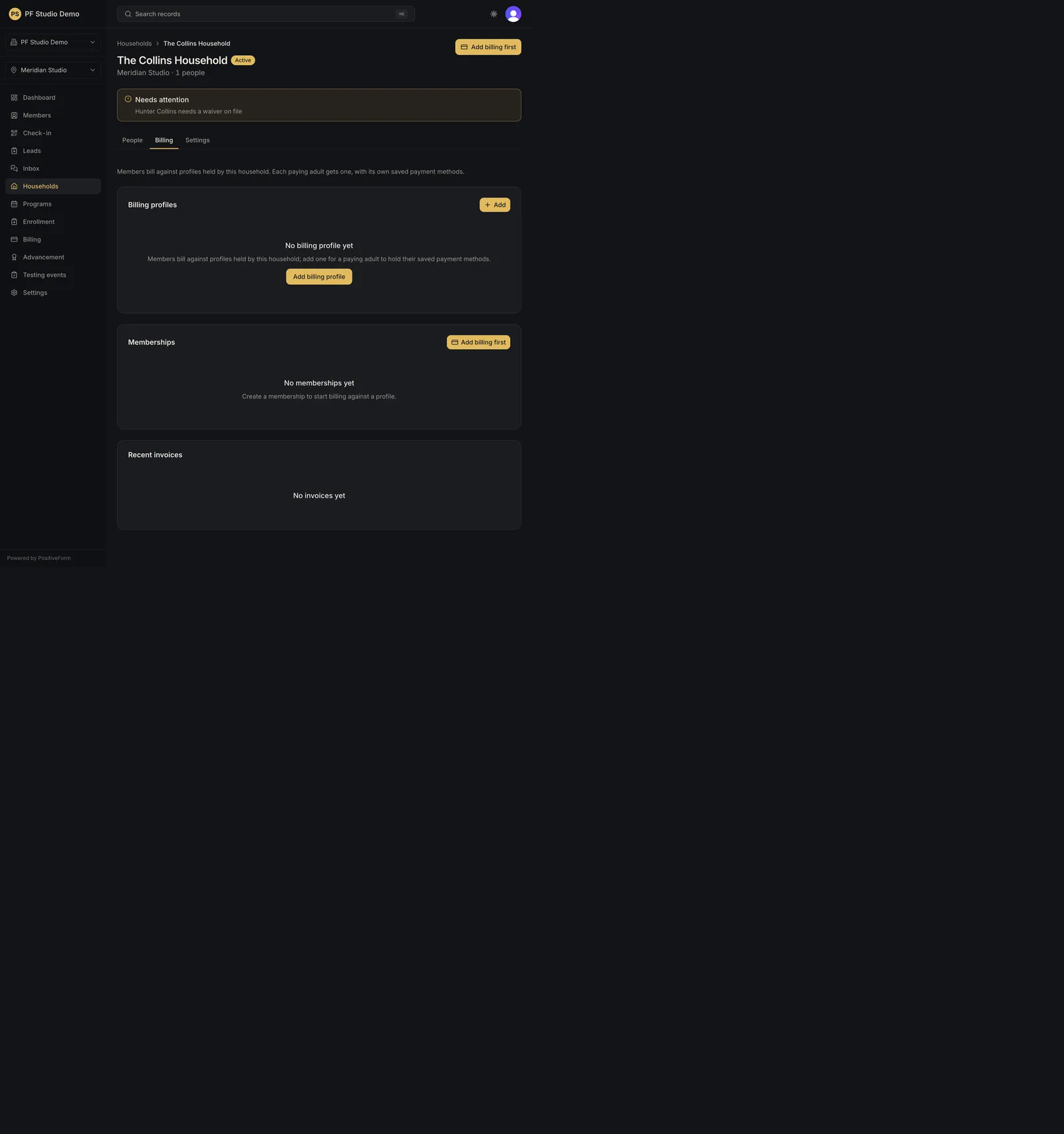
- Open the household's Billing tab. The household page has three tabs: Overview, Billing, and History.
- Read Who pays. Each paying adult has one card showing their name, email, whether a payment method is on file, and a Default badge on the household default. Adults with no profile appear as dashed cards.
- On a profile card, use: - View payments to expand that payer's ledger of invoices and subscriptions. Hide payments collapses it again. - Charge to post a one-off charge against that payer (Create and refund one-off charges). - Add payment method to send, copy, or open a secure Stripe setup link for that adult. - Payment methods to list saved cards, set a different default, or remove one. This appears only once a method is on file. - Make default, Change owner, and Archive for profile housekeeping. Change owner is offered only on a profile that has never been linked to a Stripe customer.
- Read Subscriptions. Each subscription renders as one block: plan name and amount, then Covers, Paid by, Collection, and Next cycle. Members sharing one Stripe subscription appear as one block, not one per person. A block labelled "Not linked to Stripe" shows the plan rate, not a confirmed charge.
- Read Invoices for the five most recent invoices, their status, and any refunded amount. View opens the Stripe-hosted invoice page.
- Use Create subscription in the Subscriptions header when a new subscription is needed (Create a household subscription).
Expected outcome
You can answer whether the household can be charged, who pays for whom, what each subscription costs and when it next bills, and which invoices need attention.
Screenshots
Recovery
If Who pays is empty, create a profile first. If a card, subscription list, or invoice list fails to load, use its Retry action before changing anything. If a subscription block says it is not linked to Stripe, treat the amount as the plan rate and confirm the real charge in Stripe before acting on it.
Related guides
- BILL-001
- BILL-003
- BILL-004