Create and refund one-off charges
Charge a reviewed one-off item and refund or void an eligible invoice. The charge, refund, or void records the recipient, amount, actor, and resulting invoice…
- Status
- Draft, not yet re-verified
- Who can do this
- Organization owners, Managers
- Required access
billing.manage- Where in PositiveForm
/billing
"Copy for AI" puts the full Markdown of this page on your clipboard. Paste it into ChatGPT, Claude, or any assistant and ask it to walk you through the steps.
Who this is for
This guide is for managers and owners posting one-off charges, and refunding or voiding an invoice.
Before you begin
- Payments must be connected, and the household needs an active billing profile for a member charge (Create a household billing profile).
- Know the person, amount, and reason before you start. A refund cannot be undone.
- Charging and refunding start in different places. A charge starts from studio Billing or from a payer's profile card. A refund or void starts from the household's Billing tab, because it acts on one invoice.
Steps
Post a one-off charge
- Open Billing and click Charge, or open the household's Billing tab and click Charge on the payer's card in Who pays. Either opens New one-off charge.
- Under 1. Who are we charging?, choose Guest (no member record; Stripe collects their details at checkout) or Member (search by name, household, email, phone, or member ID). Starting from a payer's card skips this step. When a household has more than one profile, pick Whose payment method?.
- Under 2. What are we charging?, choose Saved item and pick from the one-off list, or Custom amount and enter an Amount and a Description. The description is required on a custom amount. For a household charge, check each person under Who is this for?.
- Under 3. How will they pay?, choose Charge saved card (offered only when a card is on file) or Create checkout link. A guest charge always uses Guest checkout.
- Click the confirm button. It names the action and the amount, for example Charge saved card $45.00 or Create checkout link for $45.00.
- On success the dialog shows the amount and, depending on the path, Open checkout, Open payment page, Open receipt, a copy-link button, and View payment record.
Refund or void an invoice
- Open the household's Billing tab.
- Find the invoice in the Invoices card, or expand a payer's ledger with View payments on their profile card.
- Click Refund on a paid invoice that still has an unrefunded balance, or Void on a draft or open invoice. Only one of the two is offered per invoice.
- For a refund, confirm or reduce Amount to refund (it defaults to the full refundable balance) and enter a Reason. For a void, enter a Reason.
- Confirm with Refund $0.00 (the button carries the amount) or Void invoice.
Expected outcome
A charge appears in Billing › Payments and on the household's Billing tab, recording the amount, who it was for, and who charged it. A completed refund or void updates the invoice immediately. If your studio requires approval for refunds (Configure billing policies and catalog), the dialog instead says the request has been sent for approval and nothing has moved yet (Approve billing changes).
Screenshots
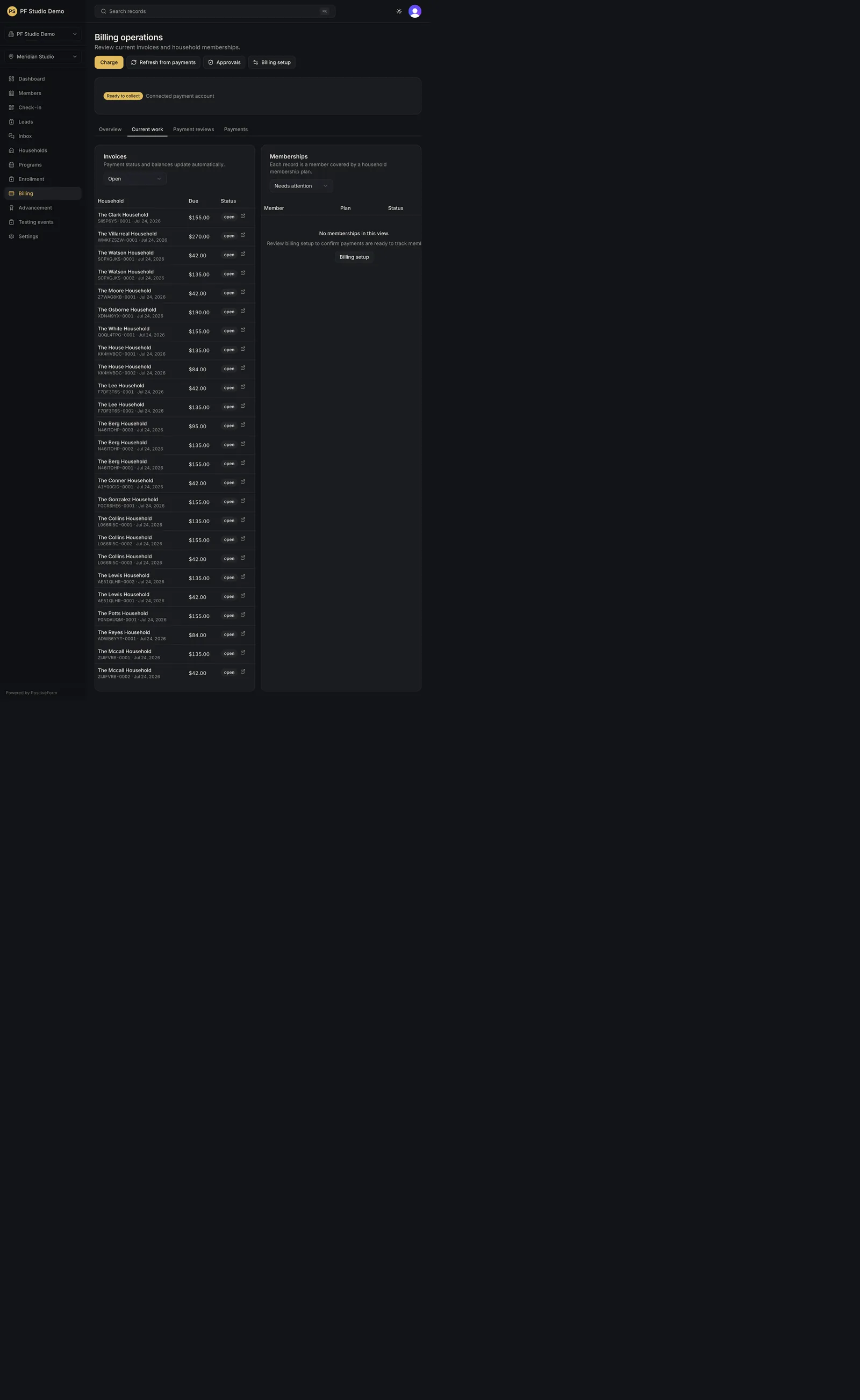
Recovery
If the action is refused, read the message in the dialog: it names the reason (permissions, no billing profile, an invalid amount, or a missing description). Do not double-submit; a second confirm is a second charge. A refund and a void cannot be undone, so check the household name and amount in the dialog heading before confirming.
Related guides
- BILL-004
- BILL-008