Create a household subscription
Create an individual or shared household subscription from a reviewed plan. The subscription is created for the selected members with the reviewed price and…
- Status
- Draft, not yet re-verified
- Who can do this
- Organization owners, Managers, Staff
- Required access
billing.manage- Where in PositiveForm
/households/:householdId/billing/subscriptions/new
"Copy for AI" puts the full Markdown of this page on your clipboard. Paste it into ChatGPT, Claude, or any assistant and ask it to walk you through the steps.
Who this is for
This guide is for staff, managers, and owners starting a subscription on a household billing profile.
Before you begin
- The household must be active and must have at least one active billing profile (Create a household billing profile).
- Know which program and plan the subscription uses, or which recurring price to bill when no program is involved.
Steps
- Open the household's Billing tab.
- In the Subscriptions card header, click Create subscription. This
opens
/households/<household>/billing/subscriptions/new, headed Create household subscription. - If the household has no adult, the button reads Add billing first or Add adult and opens the step you are missing instead. - If the household is not active, the Household settings dialog opens instead. Set Status to Active, click Save changes, then start again. - Under Household members, search for and select every person this one subscription covers. Select two or more only when they share a single subscription. Click a selected name to remove it.
- Choose a Program if this subscription places members on a program roster, then pick the Program plan. Leave Program empty to bill only: the field becomes Recurring plan, and no roster entry is created.
- Choose the Billing profile that pays. The line under the picker names the payer and says whether a card is on file.
- Optionally choose a Discount, or leave it as None.
- Choose a Collection method: Email invoice or Charge card on file. If you choose Charge card on file and the payer has no card, an amber panel offers Add card securely; it returns to this page with your selections preserved.
- Read the consequence summary and the Charge schedule line, which shows the first charge PositiveForm has computed for your billing-schedule setting.
- Click the create button. Its label reflects what you chose: Create subscription, Create subscription for N members, or Confirm enrollment & billing when you arrived from a program enrollment.
Expected outcome
The page shows Enrollment and billing confirmed with the members, program, plan, and collection method that were used. From there, Open household billing returns to the household's Billing tab, where the new subscription appears in Subscriptions.
Screenshots
Recovery
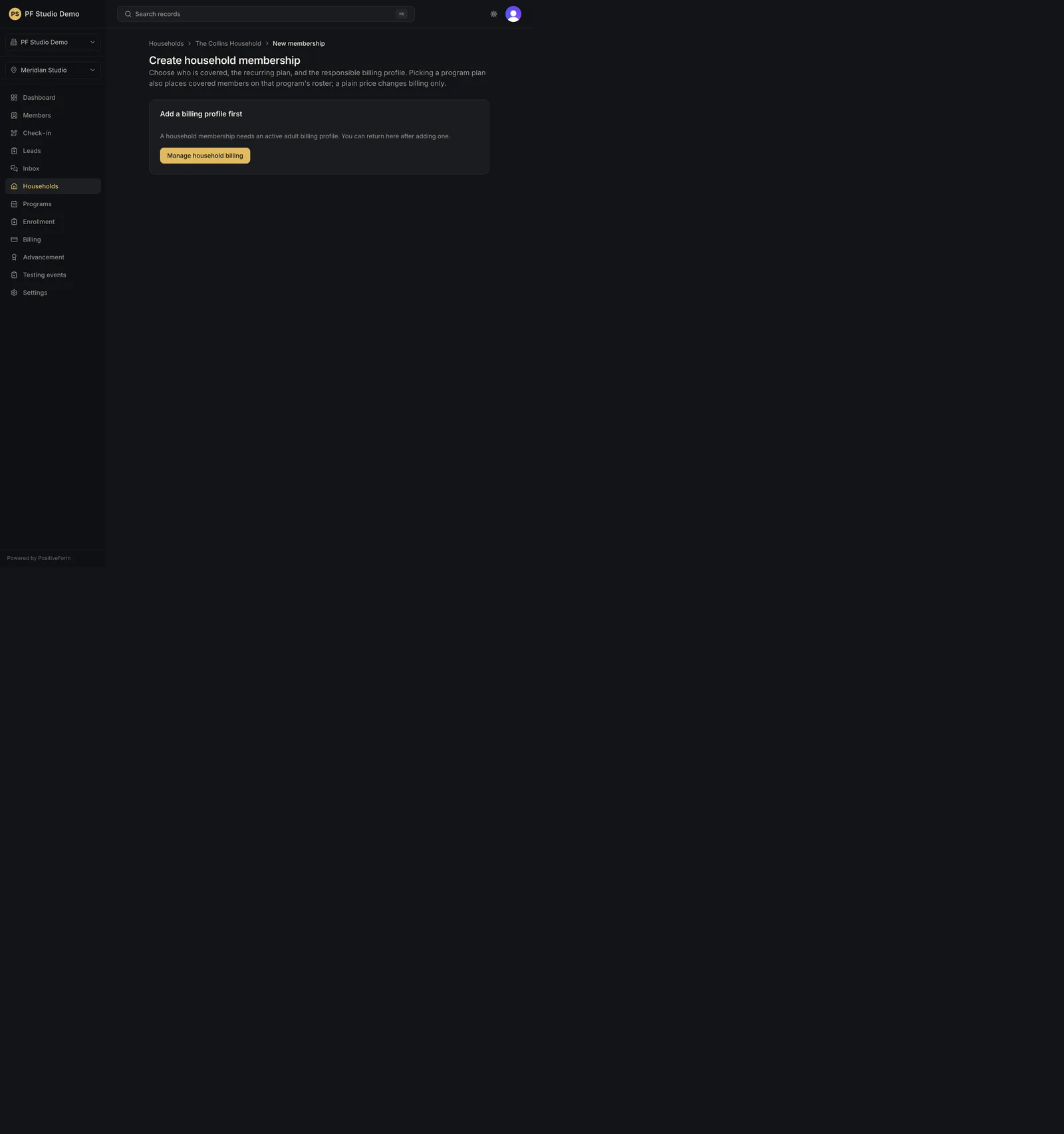
If the create button stays disabled, a required choice is missing: members, a plan, or a billing profile. If the chosen program has no plans, the page says so and links to Open program pricing; add a plan there first. If the household has no active billing profile, the page shows Add a billing profile first with a link back to household billing. Read any red message under the form before resubmitting, and do not submit twice.
Related guides
- BILL-001
- PROG-006
- MEM-004