Review and reconcile billing operations
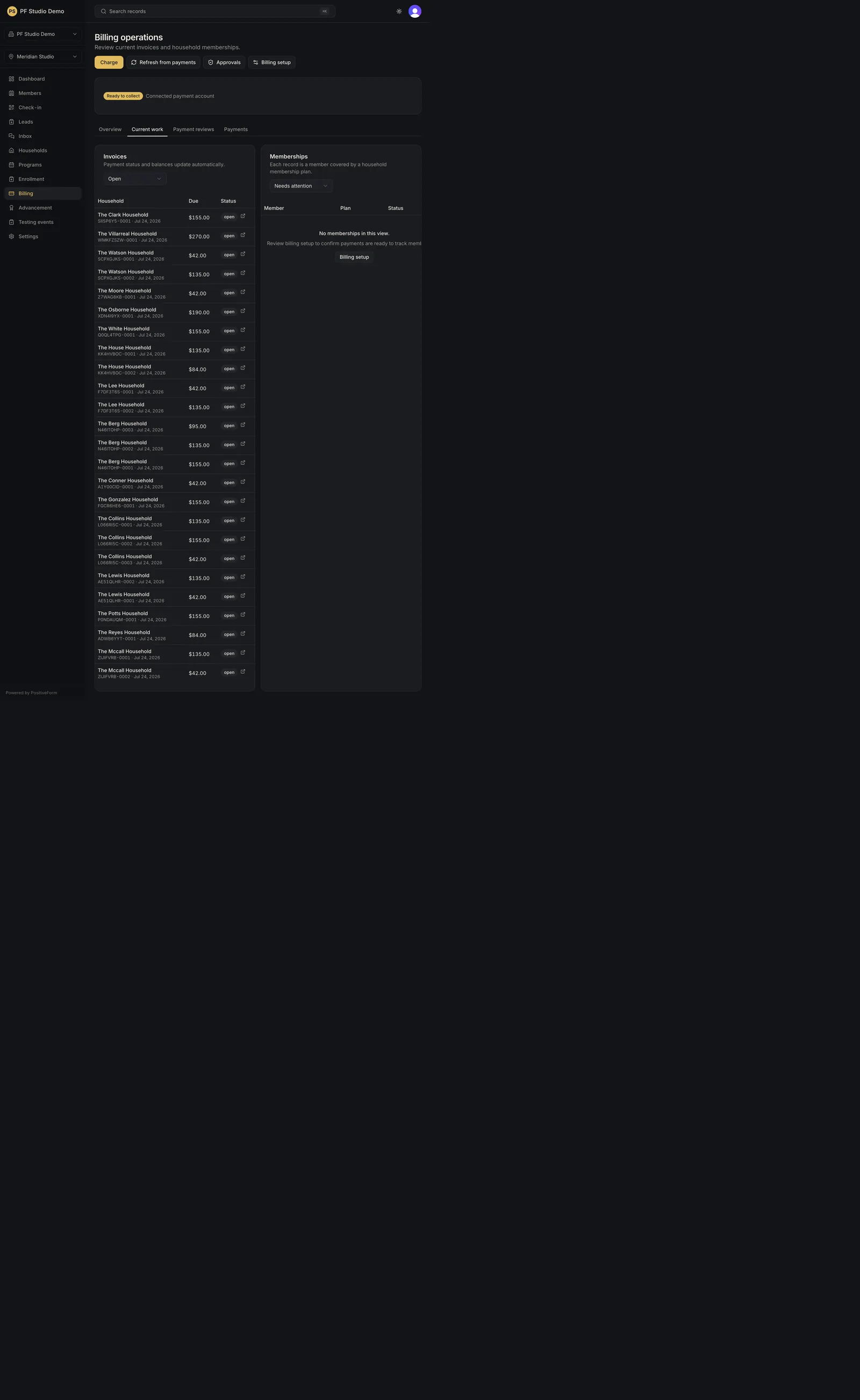
Review operational billing queues and request reconciliation. The selected queue, filters, and reconciliation result are visible without entering provider…
- Status
- Draft, not yet re-verified
- Who can do this
- Organization owners, Managers, Staff
- Required access
billing.manage- Where in PositiveForm
/billing
"Copy for AI" puts the full Markdown of this page on your clipboard. Paste it into ChatGPT, Claude, or any assistant and ask it to walk you through the steps.
Who this is for
This guide is for staff, managers, and owners using the studio Billing workspace to review operations across households.
Before you begin
- Select the location at the top of the console.
- Payments must be connected for the queues to hold anything. If they are not, the page says "Payments are not connected" and offers Connect payments (Connect and operate Stripe).
Steps
- Click Billing in the left navigation. The page is headed Billing operations.
- Check the status line under the header. Ready to collect means the connected payment account can charge; Verification pending means it cannot yet.
- Choose a tab. The page has four: - Overview: Collected this month, Outstanding balance, and Active subscriptions, plus Failed payments to review, oldest first. - Current work: the Invoices and Subscriptions tables, each with its own status filter and paging. - Payment reviews: the Payments to review queue, filtered by review status (Resolve billing reviews). - Payments: every subscription invoice and one-off charge, newest first, filtered by kind.
- Open a household name to jump to that household's Billing tab, or a family name in a review queue to open the review itself.
- Use Refresh from payments to pull the latest subscription and invoice state from the payment provider. The toast reports how many of each were updated.
- Use Approvals for changes waiting on a decision (Approve billing changes), Billing setup for studio configuration (Configure billing policies and catalog), and Charge to post a one-off charge (Create and refund one-off charges).
Expected outcome
You can reconcile studio-level billing activity without guessing which household is involved. The selected tab, filters, and page are held in the URL, so a view can be shared or reopened.
Screenshots
Recovery
If a table fails to load, use its Retry action rather than reloading the whole page. Empty queues are normal when nothing is pending. If Charge and Refresh from payments are missing, either payments are not connected or you do not have billing management access.
Related guides
- BILL-002
- BILL-006
- BILL-007