Manage the studio subscription
Choose a PositiveForm plan and open billing self-service. The owner sees current usage and can enter the hosted checkout or billing portal for the…
- Status
- Draft, not yet re-verified
- Who can do this
- Studio owners, Organization owners
- Required access
organization.owner- Where in PositiveForm
/settings/subscription
"Copy for AI" puts the full Markdown of this page on your clipboard. Paste it into ChatGPT, Claude, or any assistant and ask it to walk you through the steps.
Who this is for
This guide is for organization owners managing what the studio pays PositiveForm. This is separate from what you charge your own members, which lives in Billing setup (Configure billing policies and catalog).
Before you begin
- You need owner access for the organization. Other staff see the page but are told only an owner can change the plan.
Steps
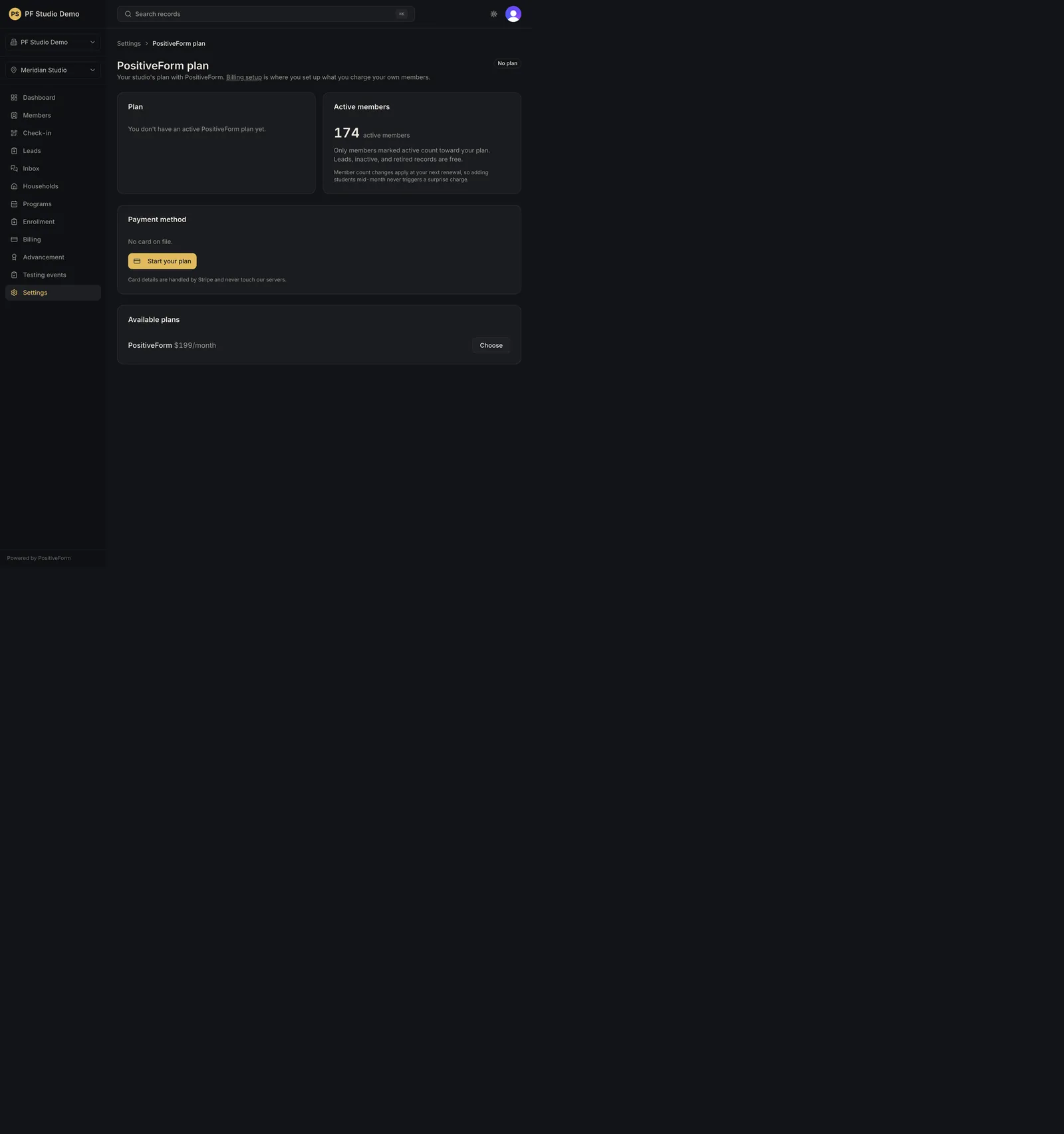
- Open Settings, then PositiveForm plan under the Billing group
(
/settings/subscription). The page is headed PositiveForm plan. - Read the status badge beside the heading and any notice above the cards.
- In the Plan card, read the plan name, its price, the band table, and the renewal or end date. If there is no plan yet, the card says so.
- In the usage card, check the Active members count that your plan is billed on.
- In the Payment method card, read the card on file, then use: - Manage billing to open the Stripe billing portal, where the card, invoices, and cancellation live. - Refresh to re-read the plan status from Stripe after a change made there. - Start your plan (or Choose a plan to go live) to enter hosted checkout when there is no subscription yet.
- When there is no subscription, pick a plan from Available plans with Choose, which starts checkout for that plan.
Expected outcome
You can see the studio's PositiveForm plan, its active member count, and the card on file, and you can reach hosted checkout or the Stripe billing portal. Card details are handled by Stripe and never reach PositiveForm.
Screenshots
Recovery
If checkout or the portal will not open, the toast says so; stay on the page and retry after confirming network connectivity. After changing anything in the Stripe portal, use Refresh to pull the new state rather than reloading blindly. Contact PositiveForm support if the plan state looks wrong for a live studio.
Related guides
- ONB-001