Assign program staff and operating notes
Assign teaching staff and maintain operating notes for a program. Assigned staff and notes remain visible in the program workspace.
- Status
- Draft, not yet re-verified
- Who can do this
- Organization owners, Managers
- Required access
members.change- Where in PositiveForm
/programs/:slug/staff
"Copy for AI" puts the full Markdown of this page on your clipboard. Paste it into ChatGPT, Claude, or any assistant and ask it to walk you through the steps.
Who this is for
This guide is for an owner or manager recording who usually runs a program.
Assigning somebody here says who teaches it. It does not change what they can do in PositiveForm: permissions come from their roles and direct grants, and they apply across the organization regardless of which programs they are on. See Manage staff access for access.
Before you begin
- The people you are assigning need staff records already; see Invite staff.
- Know that this is about who normally runs the program, not who is on a particular class time or a particular date. A single class time carries its own Training staff, and date-specific detail belongs in a meeting note; both are in Manage program schedules.
Steps
- Open the program and click the Staff tab. The card reads Assigned staff, for the staff who usually run or support this program. With nobody assigned it reads No staff assigned yet.
- Use the Add staff picker to search your staff by name and add each person who runs or supports it. Search reaches everyone at the organization, not just the first page.
- Each assigned person sits on their own row, with badges for the locations they usually work at; the location you are working in reads first. Use the trash icon beside somebody to take them off.
- Click Save staff. Nothing is assigned or removed until you do.
You can also reach this from the program Overview, where Action items offers Assign staff while nobody is assigned yet.
Expected outcome
PositiveForm confirms with Assigned staff saved. The assigned staff persist on the program and stay visible in its workspace, so anyone opening the program can see who runs it without asking.
The assignment also shows on each person's own profile, under Teaches; see Maintain a staff profile. It is the same fact viewed from the other side, not a copy.
Nothing about their access changes. Assigning somebody to a program does not grant a permission, and removing them does not take one away.
Screenshots
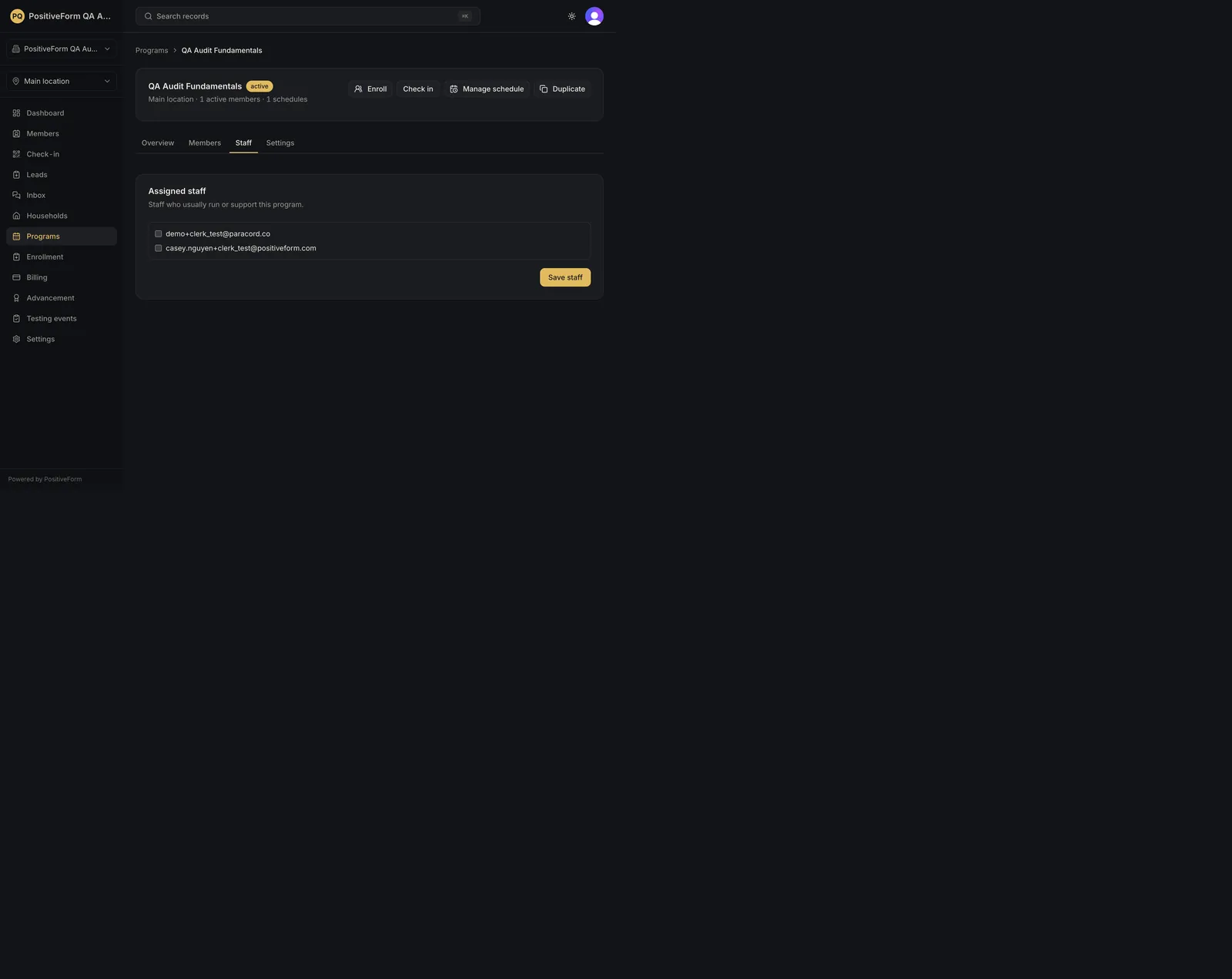
Recovery
If saving fails, PositiveForm says Could not save assigned staff with the reason, and the assignment is unchanged.
If somebody you expect does not come up in Add staff, they have no staff record at this organization yet; see Invite staff. A person's home location is only their default working context, so it never keeps them off this list.
If you removed the wrong person, leave the page without saving and the assignment is untouched.
If an assigned instructor cannot do something you expected them to, this is not the place to fix it. Check their roles and direct grants in Manage staff access.
If you need to record who is covering one specific class, do not change the assignment. Leave a meeting note on that date instead; see Manage program schedules.
Related guides
- Maintain a staff profile — the same assignment seen from the person's profile, under Teaches.
- Manage program schedules — record a one-off change with a date-specific staff note.